Email Reply Drafting
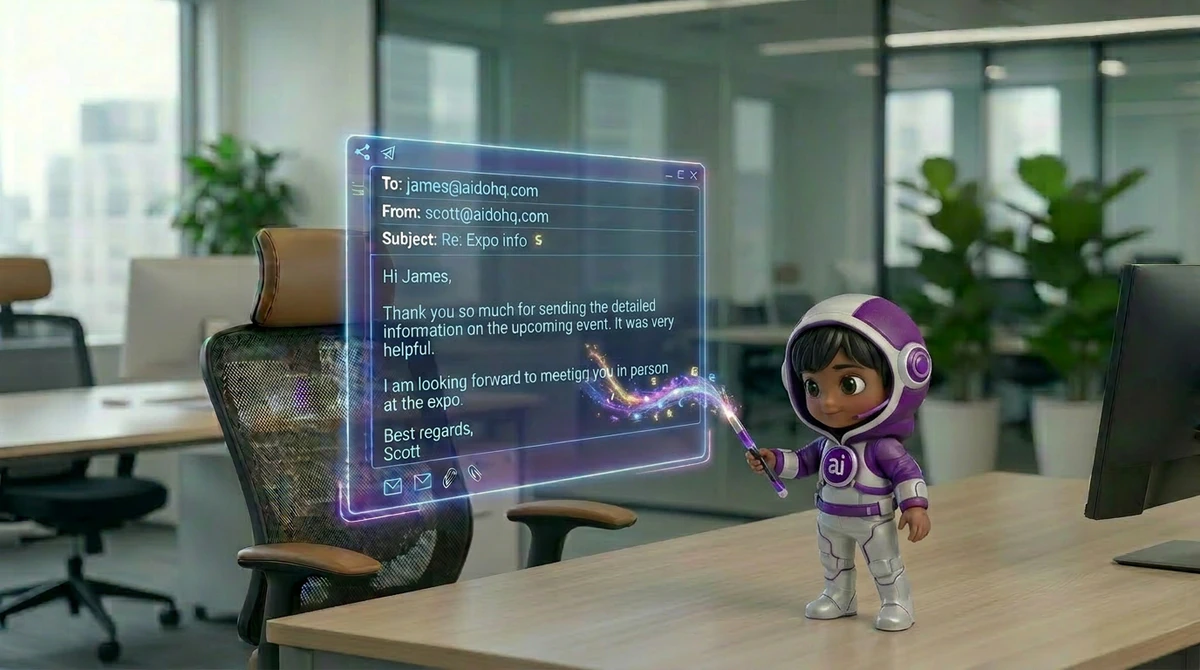
Reads incoming emails, understands context, and drafts replies in your voice - ready to review and send with one click.
Email replies, calendar management, meeting notes, and junk filtering - all handled before you have had your first coffee. Your AI Executive Assistant works through the night so you start every day in control.
Sound Familiar?

Meet BOSSIE
Buried emails, calendar chaos, forgotten action items — BOSSIE picks them all up. One AI executive assistant that triages, drafts, schedules and takes the notes.
Every email gets a draft that sounds like you — waiting for one-tap approval.
Finds times, reschedules clashes and protects the hours you actually work best.
Joins your meetings, writes the notes and turns decisions into tracked tasks.
Noise archived, VIPs surfaced, urgent flagged — before you open your laptop.
What Your Executive Assistant Does
Your Sevenfold Executive Assistant is not a basic email filter - it is a trained AI professional that understands your communication style, learns your priorities, and handles your inbox, calendar, and meetings the way a senior human EA would. Proactively, contextually, and without constant supervision.
Reads incoming emails, understands context, and drafts replies in your voice - ready to review and send with one click.
Categorises every email - To Reply, FYI, Marketing, Priority - and filters out junk before it clutters your view.
Schedules meetings, resolves conflicts, sets reminders, and keeps your calendar clean and realistic - without the back-and-forth.
Joins your online meetings, takes structured notes, and delivers a clean summary with action items and decisions right after the call.
Tracks commitments, deadlines, and pending replies - then prompts you or follows up on your behalf so nothing slips.
Starts your morning with a prioritised snapshot of what needs your attention, what can wait, and what is already been handled.
Files, labels, and surfaces important documents - so you spend less time searching and more time deciding.
Reads and drafts emails in 100+ languages - keeping communication professional across regions and international teams.
Connects with Gmail, Outlook, Google Calendar, Zoom, and your CRM to work inside the tools you already use every day.
Integrations
Bring AI efficiency to your everyday workflows.
How It Works
Your Executive Assistant is up and running - and already working on your inbox - faster than onboarding a new hire.
Step 1 of 4
Share your business, team and priorities. BOSSIE learns how you work — and every AI employee you hire shares the same knowledge.
~10 minutesStep 2 of 4
Link Gmail or Outlook and your calendar. BOSSIE starts triaging mail and guarding your time immediately.
~5 minutesStep 3 of 4
Tell BOSSIE how you write, who always gets through, and when you take meetings.
~5 minutesStep 4 of 4
Drafts wait for one-tap approval, meetings get notes and action items, and your day starts organised.
You're live!In Action
From inbox chaos to structured calendar — every admin task handled before you even think to ask.
Email Triage
Your EA categorises every email — Priority, FYI, Marketing, To Reply — and surfaces the 5 that need your attention today. The rest is handled.
→ Inbox sorted in under 5 minutes
Draft Replies
Your EA reads the thread, understands the context, and drafts a reply in your voice — ready for one-click send.
→ Professional reply ready in seconds
Meeting Notes
Your EA attended, transcribed, and summarised the entire call — action items, decisions, and follow-ups delivered within minutes of ending.
→ Clean summary waiting in your inbox
Calendar Management
Your EA spots the conflict, finds a better time, notifies all parties, and updates the calendar — without you touching anything.
→ Conflict resolved without your input
Follow-Up Tracking
Your EA tracks every commitment you make in emails. When a follow-up is overdue, it prompts you — or sends the follow-up on your behalf.
→ Zero missed commitments
Morning Briefing
Your EA delivers a concise morning snapshot — priority emails, today’s meetings, pending tasks, and what’s already been handled overnight.
→ Day started in under 2 minutes
Why Sevenfold
The more emails it processes, the better it knows how you write - adapting tone, phrasing, and priorities to match you without explicit instructions.
Unlike basic filters, your EA reads the meaning of an email - not just the subject line - to decide what action it needs and how urgent it really is.
Your EA does not wait to be asked. It flags risks, surfaces pending items, and takes action before things become problems - just like a great human EA would.
Your emails and calendar data are encrypted end-to-end and never used to train third-party models. Your inbox stays yours - always.

Who It's Built For
Your AI Executive Assistant adapts to your communication style, calendar preferences, and business context — from solo founders to executive teams.
What Users Say
We use Sevenfold to handle reception, take meeting notes and post to our social media accounts. Quite impressed already. We are soon to onboard other AI employees.
We were already using AI platforms, but Sevenfold’s ability to capture our business and product information has made it much more useful when AI is answering calls. I highly recommend it to other businesses.
I’ve only been using Sevenfold for a couple of weeks, but the experience has been very positive — especially the social media bot, which creates a detailed plan, and the blog writer, which beautifully handles internal linking. They save me a lot of time on SEM and SEO.
FAQ
Join thousands of founders and executives already using Sevenfold to clear their inbox, manage their calendar, and reclaim hours every single day.
Get Started TodayYour AI Team