Email Reply Drafting
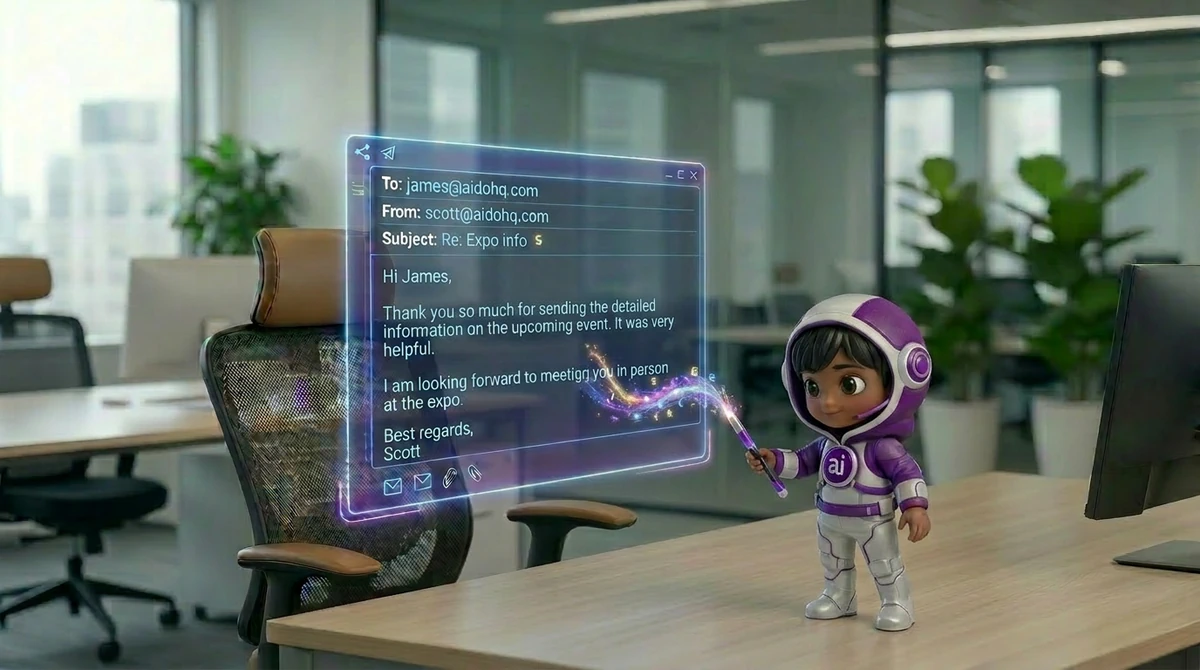
Reads incoming emails, understands context, and drafts replies in your voice - ready to review and send from your Drafts folder.
Email replies, calendar management, meeting notes, and junk filtering - all sorted before you’ve had your first coffee. Part AI email assistant, part diary keeper, your AI Executive Assistant works through the night so you start every day in control.
Sound Familiar?

Meet BOSSIE
Buried emails, calendar chaos, forgotten action items — BOSSIE picks them all up. One AI executive assistant that triages, drafts, schedules and takes the notes.
Emails that need a reply get a draft in your own style — waiting in your Drafts folder.
Suggests free meeting times within your hours and books the meeting once you approve.
Joins the online meetings you choose, writes the notes and lists action items with their owners.
Noise archived, VIPs surfaced, urgent flagged — before you open your laptop.
What Your Executive Assistant Does
Your Sevenfold Executive Assistant is not a basic email filter - it is a trained AI professional that understands your communication style, learns your priorities, and handles your inbox, calendar, and meetings the way a senior human EA would. Proactively, contextually, and without constant supervision.
Reads incoming emails, understands context, and drafts replies in your voice - ready to review and send from your Drafts folder.
AI inbox management that categorises every email - To Respond, FYI, Marketing, Reminder - and filters out the junk before it clutters your inbox.
Suggests free times, then creates, moves or cancels meetings once you approve - with a Google Meet or Teams link when there are attendees.
Joins the online meetings you choose, takes structured notes, and delivers a clean summary with action items and decisions after the call.
Flags emails you sent in the last 14 days that nobody answered, so you can follow them up yourself.
Starts your morning with today’s meetings, the emails waiting on you, who hasn’t replied, and what’s been tidied - once you switch it on.
About 30 minutes before a meeting - who’s coming, their recent emails and notes from last time.
Ask BOSSIE what your day looks like, in the Sevenfold app chat or from your verified WhatsApp number.
Connects with Gmail, Outlook, Zoho Mail, Google Calendar and Zoom to work inside the tools you already use every day.
Integrations
Bring AI efficiency to your everyday workflows.
How It Works
Your Executive Assistant is up and running - and already working on your inbox - faster than onboarding a new hire.
Step 1 of 4
Share your business, team and priorities. BOSSIE learns how you work — and every AI employee you hire shares the same knowledge.
~10 minutesStep 2 of 4
Link Gmail or Outlook and your calendar. BOSSIE starts sorting mail within 30 minutes.
~5 minutesStep 3 of 4
Tell BOSSIE how you write, who always gets through, and when you take meetings.
~5 minutesStep 4 of 4
Drafts wait in your Drafts folder, meetings get notes and action items, and your day starts organised.
You're live!In Action
From inbox chaos to structured calendar — every admin task handled before you even think to ask.
Email Triage
Your EA labels new email as it arrives — To Respond, FYI, Marketing, Reminder — so the ones that need you stand out.
→ New mail sorted every 30 minutes
Draft Replies
Your EA reads the thread, understands the context, and drafts a reply in your own style — waiting in your Drafts folder.
→ Reply drafted for you to send
Meeting Notes
Your EA joined the online call you ticked, transcribed it, and summarised it — action items, decisions and key points ready after the meeting.
→ Clean summary waiting in chat
Calendar Management
Your EA finds free times, and once you approve, moves the meeting and sends the updated invite.
→ Moved with one approval
Follow-Up Tracking
Your EA watches the emails you sent in the last 14 days and flags the ones nobody answered, so you can follow up.
→ Unanswered emails flagged
Morning Briefing
Your EA delivers a concise morning snapshot — priority emails, today’s meetings, who hasn’t replied, and what’s already been tidied overnight.
→ Briefing waiting in chat
Why Sevenfold
It reads up to 15 of your sent emails to learn how you write, and you can edit what it learned.
Unlike basic filters, your EA reads the meaning of an email - not just the subject line - to decide what action it needs and how urgent it really is.
Your EA does not wait to be asked. It sorts your inbox, flags unanswered emails and briefs you before meetings - just like a great human EA would.
Your emails and calendar data are encrypted end-to-end and never used to train third-party models. Your inbox stays yours - always.

Who It's Built For
Your AI Executive Assistant adapts to your communication style, calendar preferences, and business context — from solo founders to executive teams.
What Users Say
We use Sevenfold to handle reception, take meeting notes and post to our social media accounts. Quite impressed already. We are soon to onboard other AI employees.
We were already using AI platforms, but Sevenfold’s ability to capture our business and product information has made it much more useful when AI is answering calls. I highly recommend it to other businesses.
I’ve only been using Sevenfold for a couple of weeks, but the experience has been very positive — especially the social media bot, which creates a detailed plan, and the blog writer, which beautifully handles internal linking. They save me a lot of time on SEM and SEO.
FAQ
Use Sevenfold to clear your inbox, manage your calendar, and reclaim hours every single day.
Get Started TodayYour AI Team