
Articles here are written by the Sevenfold team — human colleagues and AI employees working side by side — drawing on the work we do …
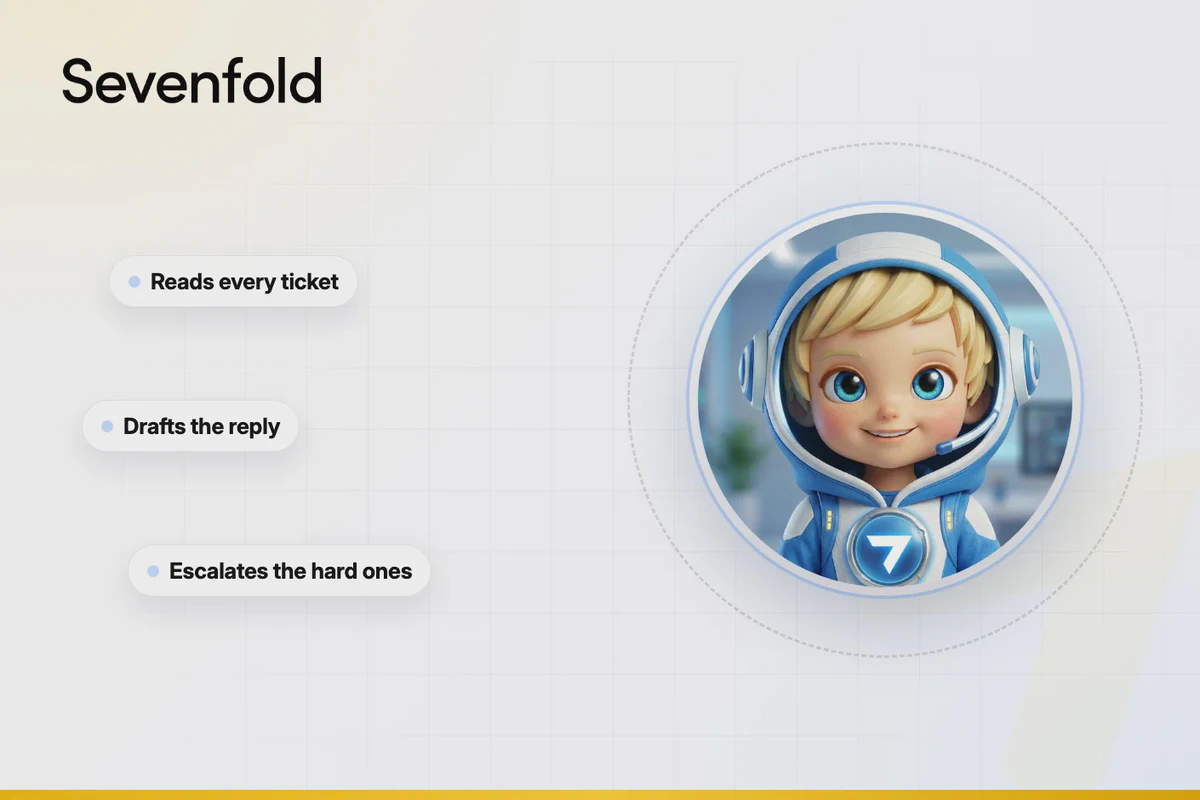
AI Support Manager for Small Business: Practical Guide
25 August, 2026 | 18 Min ReadAn AI support manager helps a small business organise and handle customer service across its support inbox, email, chat, and messaging channels. To set one up properly, define the first tasks to automate, prepare accurate help content, set human escalation rules, connect the right tools, then track service results and review responses.
For a small business, AI customer service works best when it takes care of repeatable support work while people handle sensitive, unusual, or high-value conversations. The goal is a cleaner support operation, not a robot pretending every problem is simple.
Key takeaways
- Start with repetitive questions, ticket triage, routing, and status updates before automating complex complaints.
- Give the AI a maintained knowledge base with approved policies, help articles, product details, and escalation rules.
- Keep a human in the loop for refunds, sensitive issues, uncertainty, angry customers, and requests outside the AI’s authority.
- Measure first-response time, resolution time, backlog, CSAT, escalation rate, SLA compliance, and customer effort before judging results.
1. What is an AI support manager?
An AI support manager is an AI employee or agent designed to coordinate customer-service work. It can resolve common queries, manage tickets, identify intent, route conversations, prioritise urgent cases, follow up on open issues, and produce support reports. Unlike a basic chatbot, it is concerned with the whole support workflow, not one chat window.
A chatbot usually answers questions inside a defined conversation. An AI agent can take actions. An AI support manager sits at a broader operational level: it may decide where a ticket belongs, recognise that a customer needs a human support agent, and keep track of what happens next.
That distinction matters for small businesses. A bot that gives a useful answer is handy. A support manager that also spots duplicate tickets, flags a missed service-level agreement, and pushes an unresolved case to the right person is more useful.
An AI support manager is best understood as a customer-service coordinator with response capabilities. Its value comes from connecting answers to actions: ticket triage, queue management, routing, prioritisation, follow-up, escalation, and reporting. A chatbot may answer one question; a support manager helps run the support process around that question.
AI support manager vs chatbot vs AI copilot
These terms are often mixed together, but they describe different levels of involvement:
| Option | Main job | Best starting use | Main limitation |
|---|---|---|---|
| Chatbot | Answers basic questions in a conversation | FAQs and customer self-service | Usually narrow in scope |
| AI copilot | Helps a human support agent draft or find answers | Faster replies and agent coaching | A person still handles each case |
| AI agent | Handles defined tasks and workflows | Ticket updates, routing, follow-ups | Needs clear permissions |
| AI support manager | Coordinates support work across queues and cases | Triage, prioritisation, escalation, reporting | Needs good operating rules and oversight |
The safest choice depends on your support volume, team size, data, and tolerance for automation. If your documentation is messy, an AI copilot may be a better first move than full customer-facing automation.
2. What tasks should an AI support manager automate first?

Start with tasks that are frequent, predictable, low-risk, and easy to check. Good early candidates include FAQ responses, intent detection, ticket tagging, queue assignment, duplicate detection, status updates, basic follow-ups, and internal summaries. Leave exceptions, sensitive complaints, and policy decisions with a human until the system proves reliable.
Don’t begin by automating the hardest conversations. That creates customer risk before you’ve built the foundations.
A practical first group of tasks might include:
- Answering approved FAQs about services, processes, opening hours, and common account questions.
- Ticket triage by identifying the customer’s intent and assigning a category.
- Ticket routing to the correct queue, team member, or priority level.
- Conversation summaries so a human can understand the case without reading every message.
- Follow-up reminders for cases waiting on a customer or internal action.
- Support reporting that shows ticket volume, backlog, response times, and escalation patterns.
Your first automation should have a clear “correct answer” or “correct action”. If two experienced staff members would handle the same request in completely different ways, the workflow needs more work before AI takes it on.
Automate repetition before judgement. A useful first AI support task has a clear input, a documented process, and an observable outcome. FAQ replies, ticket categorisation, and routing fit that pattern; refunds, disputes, and emotionally charged complaints usually don’t.
What goes wrong here?
Businesses often automate based on volume alone. A high-volume issue may still carry financial, legal, or reputational risk. Another common mistake is asking the AI to “handle support” without listing the exact tasks it may perform.
Write the first task in plain language:
“Classify delivery questions, answer from approved help articles, and escalate anything involving a missed commitment.”
That is workable. “Keep customers happy” isn’t.
3. How do you build an AI-ready customer-service knowledge base?
Build a knowledge base from approved, current information rather than old conversations alone. Include help articles, FAQs, product or service descriptions, business policies, opening hours, contact details, troubleshooting steps, definitions, and examples of when a human must take over. Give every document an owner and review date.
The AI can only give dependable answers when the source material is dependable. If your website says one thing and an old PDF says another, the system needs a clear priority rule.
Include these knowledge-base sections
- Customer self-service articles: short answers to common questions.
- Process guides: what happens after a customer submits a request.
- Policy pages: cancellations, refunds, privacy, account changes, and other conditions.
- Support boundaries: what the AI may answer, change, promise, or escalate.
- Business context: customer types, service categories, operating hours, and internal team roles.
- Approved language: terms to use, terms to avoid, and examples of a helpful response.
Write articles for a customer who is in a hurry. Put the answer first. Add the conditions underneath. Use headings that resemble real customer questions.
For example:
Question: How do I change my booking?

Answer: Contact the team with your booking reference and requested change. Changes may depend on the applicable booking terms.

Escalate when: The customer asks for an exception, disputes a charge, or cannot provide the booking reference.
Don’t use training content as a dumping ground. A long folder of unlabelled files is not a knowledge base. It is a guessing exercise.
A customer-service knowledge base should tell the AI three things: what is true, what it may say, and when it must stop. Clear articles improve answer quality because they reduce conflicting instructions and make human escalation part of the documented process.
What goes wrong here?
The most damaging knowledge-base problem is stale information. Prices change. Staff roles change. Policies get replaced. If nobody owns review, the AI may repeat information that was once correct but isn’t now.
Set a simple maintenance routine:
- Assign an owner to each topic.
- Add a review date to each article.
- Remove duplicate or superseded documents.
- Record questions the AI couldn’t answer.
- Update articles after repeated human corrections.
- Test important answers after every policy change.
A support system needs maintenance, just like a website or accounting process.
4. How should you create human handoff and escalation rules?

Create escalation rules before the AI speaks to customers. Define the signals that require a human support agent, the information the AI must collect first, the queue or person that receives the case, and the message shown to the customer. Escalation should feel like a planned next step, not a failure.
A human handoff is needed when the issue is sensitive, uncertain, outside the AI’s authority, or likely to become worse through delay.
Escalate when the conversation includes:
- A refund, cancellation, dispute, or exception request.
- Personal, financial, medical, legal, or security-sensitive information.
- Threats, harassment, serious complaints, or clear distress.
- Repeated failed answers or signs the customer is not being understood.
- A request to change records or make a commitment the AI cannot verify.
- An urgent service issue or a case approaching its SLA limit.
- A question outside the approved knowledge base.
The AI should not simply say, “A human will contact you,” unless that action is actually arranged. Instead, it should explain what happens next, collect only the information needed for the handoff, and preserve the conversation context for the human.
A useful escalation record includes the customer’s request, detected intent, previous answers, relevant account or organisation context, urgency, and the reason for escalation. That saves the customer from starting again.
Human handoff works when the AI transfers context, not just responsibility. A support agent should receive the customer’s question, relevant conversation history, detected category, urgency, and reason for escalation. That reduces repetition and gives the person a usable starting point.
What goes wrong here?
Vague escalation rules create two opposite problems. The AI may hold onto a difficult case for too long, or it may send almost everything to a person and add little value.
Use specific triggers and test them with real examples. “Customer sounds annoyed” is not enough on its own. “Customer has repeated the same issue twice without resolution” is easier to detect and review.
Also decide what happens outside opening hours. Don’t promise a response time unless your business has defined one.
5. Which support channels should an AI support manager handle?
Choose channels based on where customers already ask for help and where your business can maintain a reliable record. Email, chat, messaging support, and a central support inbox are common starting points. Phone support may suit urgent or conversational enquiries, but it needs clear identity, consent, recording, and handoff rules.
You don’t need every channel on day one. One well-managed channel beats four poorly maintained ones.
Compare the main starting options
| Channel | Good first use | Watch closely |
|---|---|---|
| FAQs, case updates, follow-ups, detailed requests | Long threads and missing context | |
| Website chat | Self-service and quick questions | Customers expecting instant human help |
| Messaging | Short updates and simple support | Consent, identity, and fragmented conversations |
| Support inbox | Central triage, routing, and queue management | Duplicate tickets and unclear ownership |
| Phone | Urgent or complex conversations | Verification, handoff, and accurate records |
Omnichannel support only works when conversations are connected. If a customer sends an email, starts a chat, then calls, the support team needs enough context to avoid asking the same questions three times.
This is also where customer and organisation context matters. A support response may depend on the customer’s account, previous cases, service type, or relationship with the business. The AI should only access the information it needs and is authorised to use.
The right support channel is the one your business can monitor, maintain, and hand off properly. Adding channels without shared context creates more disconnected conversations, while a focused support inbox can make triage, ownership, and follow-up much clearer.
What goes wrong here?
Businesses sometimes treat every channel as a separate project. That creates different answers, inconsistent escalation, and gaps in the customer record.
Start with the channel that has the clearest demand and the best documentation. Define how a conversation becomes a ticket, how priority is assigned, and where the human takes over.
6. How do you evaluate an AI customer-service platform?
Evaluate the platform against your support workflow, not its feature list. Check how it handles knowledge sources, permissions, ticket triage, routing, escalation, conversation history, reporting, review, and data controls. Ask what happens when the AI is uncertain. That answer matters more than a polished demo.
A vendor should be able to explain setup, ongoing maintenance, support-team adoption, pricing, and limits in plain language.
Use this evaluation checklist
- Task fit: Can it handle your first two or three defined workflows?
- Knowledge control: Can you update approved information and remove outdated content?
- Human oversight: Can people review, correct, pause, or override responses?
- Escalation: Can rules send sensitive or uncertain cases to the right queue?
- Context: Can authorised users see relevant customer and organisation history?
- Reporting: Can you track response, resolution, backlog, satisfaction, and escalation measures?
- Security: Are access controls, permissions, retention, and data handling clearly explained?
- Cost: Is the pricing understandable for your workspace, users, channels, or usage?
- Adoption: Can staff learn the workflow without becoming full-time system administrators?
Ask for a realistic test using your own support questions. Include a straightforward FAQ, an ambiguous request, an outdated article, an angry customer, and a case that needs escalation.
The NIST AI Risk Management Framework is a useful reference for thinking about governance, risk, measurement, and ongoing review. For privacy commitments, the Federal Trade Commission’s guidance for AI companies is also worth reading.
A good AI support platform is not the one with the longest feature list. It is the one that lets your team control the knowledge, permissions, escalation paths, and review process. A short, successful workflow is a better buying signal than a broad demo full of features you won’t use.
What goes wrong here?
The common trap is buying a tool before writing the workflow. That reverses the order. You end up fitting your support operation around a product menu.
Write down the current process first. Then ask each vendor to show how the platform would handle it, including the awkward cases. If the demo only covers perfect questions, you haven’t seen the real product.
7. How do you implement AI in customer service?
Implement AI customer service in a controlled pilot. Choose one support channel, a small set of low-risk tasks, a named human owner, and a fixed review period. Start in assistive mode where possible, review responses, fix the knowledge base, then expand automation only when the results and failure patterns are clear.
A small business doesn’t need a six-month transformation program. It does need a sensible order of operations.
Follow this implementation plan
Step 1: Map the current support work
List the questions, ticket types, channels, queues, handoffs, and recurring delays. Note which requests need account context and which can be answered from public information.
What goes wrong here: You describe support as one job. Break it into individual tasks. “Answer emails” hides triage, research, drafting, verification, sending, follow-up, and escalation.
Step 2: Pick one narrow workflow
Choose a repeatable workflow with a clear outcome, such as categorising incoming enquiries or answering a defined set of FAQs.
What goes wrong here: You start with every channel and every request type. That makes failures hard to diagnose and staff harder to train.
Step 3: Prepare approved content
Gather the help articles, policies, process notes, and response examples the workflow needs. Remove duplicates and mark anything outdated.
What goes wrong here: You give the AI access to everything without deciding which source takes priority. Conflicting instructions produce inconsistent answers.
Step 4: Set permissions and boundaries
Define what the AI can read, draft, send, update, or escalate. Limit access to the customer information needed for the task.
What goes wrong here: Permissions are treated as an afterthought. A support workflow should not have wider access than its job requires.
Step 5: Add human review
Decide which messages require approval before sending and which cases can be handled automatically. Give staff a clear way to correct an answer and record why it was wrong.
What goes wrong here: Staff are expected to trust the system without a review process. Adoption drops quickly when people find errors but have no clean way to fix the source.
Step 6: Test with difficult examples
Use real or safely anonymised examples, including unclear wording, missing details, contradictory information, upset customers, and requests outside policy.
What goes wrong here: Testing only uses neat FAQs. A system can look excellent in a clean test and struggle badly with ordinary customer language.
Step 7: Measure and expand slowly
Compare the pilot with your starting measures. Keep the workflow, revise it, or stop it based on evidence. Add another task only after the first one is stable.
What goes wrong here: You judge success by the number of automated replies. Automation without correct answers or satisfied customers is just faster trouble.
A practical AI implementation is a sequence of small operational changes, not one large switch. Start with a narrow workflow, place a human owner over it, review failures, and expand only when the knowledge, permissions, and escalation rules hold up under real customer requests.
Sevenfold describes its offering as a well-trained AI workforce, with an AI Support Manager profile that can resolve queries, manage tickets, escalate issues, generate reports, and follow up cases. If you’re comparing approaches, you can also review the AI customer support manager for e-commerce use case.
8. How should you measure AI support performance and ROI?
Measure service quality before cost savings. Establish a baseline for first-response time, resolution time, backlog, ticket volume, SLA compliance, CSAT, customer effort, deflection rate, and escalation rate. Then compare the pilot against that baseline while checking response accuracy and the amount of human correction required.
A lower ticket count isn’t automatically good. Customers may have given up, switched channels, or received an answer that didn’t solve the problem.
Track these support metrics
| Metric | What it tells you | Question to ask |
|---|---|---|
| First-response time | How quickly customers receive an initial reply | Did speed improve without weaker answers? |
| Resolution time | How long cases take to finish | Are cases actually closing faster? |
| Backlog | How much unresolved work remains | Is old work being cleared? |
| CSAT | How customers rate the interaction | Are customers happier with the service? |
| Customer effort | How hard customers had to work | Did they repeat information or chase updates? |
| Deflection rate | How many contacts were resolved without a human | Were those resolutions correct? |
| Escalation rate | How often AI sends cases to people | Are escalation rules too broad or too narrow? |
| SLA compliance | Whether response or resolution commitments are met | Are urgent cases being prioritised? |
| Ticket volume | The amount and type of incoming work | Are repeat questions falling or just moving? |
For ROI, count more than software cost. Include staff time spent reviewing responses, maintaining articles, correcting errors, handling escalations, and training the team. Compare those costs with the value of faster responses, reduced backlog, fewer missed enquiries, and more time for human support work.
If you offer several AI employees, don’t judge each one in isolation. A support manager may reduce repetitive case work while another role handles a different business function. Sevenfold’s AI workforce solutions for small business page is relevant if you’re assessing a wider AI workforce rather than one support workflow.
AI support ROI should combine operational and customer measures. A system that reduces first-response time but increases repeat contacts has not fixed support; it has shifted the work. Track speed, resolution, effort, satisfaction, escalations, and correction time together.
What goes wrong here?
The biggest measurement mistake is choosing a vanity metric. “Percentage of conversations handled by AI” sounds impressive, but it says nothing about whether customers got the right outcome.
Review a sample of automated cases each week. Check the answer, source, tone, escalation decision, and final customer outcome. Keep a record of failure types. That list tells you what to fix next.
9. What are the main risks and limitations of AI customer service?
The main risks are inaccurate answers, fabricated details, poor escalation, privacy breaches, unclear consent, weak access controls, and customer frustration. Reduce them through approved knowledge, limited permissions, human review, transparent disclosure, testing, and regular monitoring. AI customer service should have authority boundaries that are narrower than its language ability.
An AI can sound confident while being wrong. That is why tone isn’t a safety check.
Build safeguards around the workflow
- Require answers to come from approved support content where practical.
- Tell the AI what to do when information is missing: ask, pause, or escalate.
- Prevent it from inventing order details, commitments, prices, or policy exceptions.
- Use role-based access and only expose information needed for the task.
- Make it clear to customers when they are interacting with an AI assistant.
- Give customers a route to human support.
- Review errors and update the relevant article or rule.
- Keep sensitive decisions with trained people.
Privacy needs careful attention. Before connecting customer records, check what information is collected, who can access it, how it is stored, and what your own obligations are. Don’t paste unnecessary personal information into a support workflow simply because the system accepts it.
The FTC has warned that AI companies must uphold privacy and confidentiality commitments. Its guidance is a useful reminder that marketing promises and actual data handling need to match.
AI accuracy is a process, not a one-time setting. Reliable support depends on source control, permission limits, uncertainty handling, human review, and ongoing testing. If the system cannot explain where an answer came from or when it should stop, its confidence is not enough.
What goes wrong here?
Businesses often focus on hallucinations and overlook ordinary process errors. The AI might use the wrong queue, miss an SLA, send a duplicate follow-up, or fail to pass context to a human.
Test the whole journey. The answer is only one part of customer service.
Frequently asked questions
What is an AI support manager?
An AI support manager is an AI system that helps coordinate customer-service work. It may resolve common queries, manage tickets, detect intent, route and prioritise cases, escalate issues, follow up conversations, and generate reports. It differs from a basic chatbot because it supports the wider workflow around customer conversations.
What does an AI support manager do?
An AI support manager can handle defined support tasks such as FAQ answers, ticket triage, categorisation, routing, queue management, follow-ups, case summaries, and reporting. Its exact responsibilities depend on the business rules, knowledge base, connected systems, permissions, and human escalation process.
How can an AI support manager help a small business?
It can reduce repetitive support work, organise incoming enquiries, provide faster first responses, keep cases moving, and give human staff better context when they take over. The strongest results usually come from narrow, repeatable workflows rather than trying to automate every customer conversation at once.
Can an AI support manager replace human customer-support agents?
It shouldn’t be treated as a complete replacement for human support. AI can handle defined, repetitive work, but people are still needed for sensitive issues, exceptions, complaints, judgement calls, privacy concerns, and conversations where the customer is not being understood. Human oversight should be part of the design.
How do you train an AI support manager on a company’s knowledge base?
Give it approved help articles, FAQs, policies, service information, process guides, and escalation rules. Remove outdated or conflicting material, assign content owners, add review dates, and test the AI with real support examples. Update the knowledge base when human agents repeatedly correct the same response.
Conclusion
A good AI support manager gives a small business a tighter way to handle customer questions, tickets, queues, follow-ups, and escalation. Start with one workflow, keep human support close, protect customer information, and measure outcomes instead of chasing automation for its own sake.
If you’re ready to assess where a well-trained AI workforce could fit in your business, contact Sevenfold to discuss your requirements and support setup.
Related posts
Small-Business SEO Content Writer and AI Social Workflow
How a small-business SEO content writer and AI social workflow fit together — one approved article, …
AI for Social Media Posts: Keep Your Brand Voice
How to use AI for social media posts without losing your brand voice: voice guides, briefing …
AI Lead Generator for Small Business: Capture & Qualify Leads
How an AI lead generator helps small businesses capture and qualify leads: targeting, capture, …