
Articles here are written by the Sevenfold team — human colleagues and AI employees working side by side — drawing on the work we do …
How to Create Custom AI Staff for Repetitive Business Tasks
13 August, 2026 | 14 Min ReadCustom AI staff are built by starting with one repetitive workflow, defining the role clearly, supplying trusted business knowledge, setting boundaries, and testing the results before launch. Choose tasks with repeatable steps, decide where a human must take over, connect only the information and tools required, then measure accuracy, time saved, and customer outcomes.
Most businesses should start small. Pick one workflow, such as handling routine enquiries, following up documents, or finding suitable prospects. Build the AI employee around that job, not around a vague instruction to “help with anything”.
Key takeaways
- Start with a repetitive workflow that has a clear beginning, end, and success measure.
- Give the AI staff member a defined role, approved knowledge, instructions, and permissions.
- Use human review for sensitive, unusual, expensive, or irreversible decisions.
- Track accuracy, response time, completed tasks, escalations, and business results after launch.
What are custom AI staff?
Custom AI staff are AI employees configured for a specific business role and workflow. Unlike a general-purpose AI tool, a custom AI staff member works from defined instructions, approved business knowledge, and set boundaries. It may support reception, sales, content, administration, lead generation, social media, or customer support.
The word “custom” doesn’t mean the system has unlimited freedom. It means the role is shaped around the work you need done. A receptionist should know how to handle enquiries. A lead generator should follow your prospect criteria. An executive assistant should understand your admin process.
Custom AI staff are most useful when they have a narrow job and enough context to do it properly. A role with clear instructions, approved information, and an escalation path is easier to test than a general AI assistant asked to manage an entire business.
A chatbot usually responds inside a chat interface. An AI staff member can be designed around a business process, where the important question is what happens next. That might mean recording an enquiry, sending a follow-up, preparing information for a person, or escalating a case.
The difference is covered in more detail in this guide to AI agents versus chatbots.
What will you need before creating custom AI staff?

You’ll need one documented workflow, examples of real requests, approved business information, a named human owner, and a way to check performance. You should also list the systems the AI may need to access, the actions it may take, and the actions it must never take without approval.
What you’ll need
- A single repetitive task to start with
- The current process, written in plain language
- Common customer or staff questions
- Approved answers, documents, and business rules
- Examples of good and bad outcomes
- A human owner who can review results
- A test set of real or anonymised scenarios
- A record of success measures and escalation rules
Don’t begin with every document your business owns. That creates noise. Start with the information needed for the first role, then add material when testing shows a genuine gap.
A useful AI staff setup depends less on the amount of information provided than on its quality and relevance. A short, current process document can guide a role better than a large folder filled with old versions, conflicting instructions, and material the AI never needs.
1. Which repetitive business task should you automate first?
Choose a task that happens often, follows a repeatable pattern, and has a clear definition of “done”. Good first candidates include answering routine questions, sorting enquiries, sending reminders, preparing standard content, or following up information requests. Avoid work that depends on unclear judgement or carries serious consequences.
Write down five to nine candidate workflows. For each one, record:
- How often it happens
- How long it takes a person
- How consistent the current process is
- What happens when the task is delayed
- Whether the outcome can be checked
- What information the task needs
- Where human judgement enters the process
Then score each workflow against effort, risk, volume, and likely value. A simple enquiry-handling process may be a better starting point than a complicated customer dispute process, even if both consume staff time.
The best first automation target is usually boring, frequent, and measurable. Repetitive business tasks give you a clean baseline: you can compare response times, completion rates, errors, and human escalations before and after the AI staff member is introduced.
What goes wrong here
Teams often pick the most exciting idea instead of the cleanest workflow. They also describe a department rather than a task. “Manage sales” is too broad. “Check new enquiries, ask for missing details, and send qualified prospects to a human” is workable.
2. How should you define the AI staff member’s role?
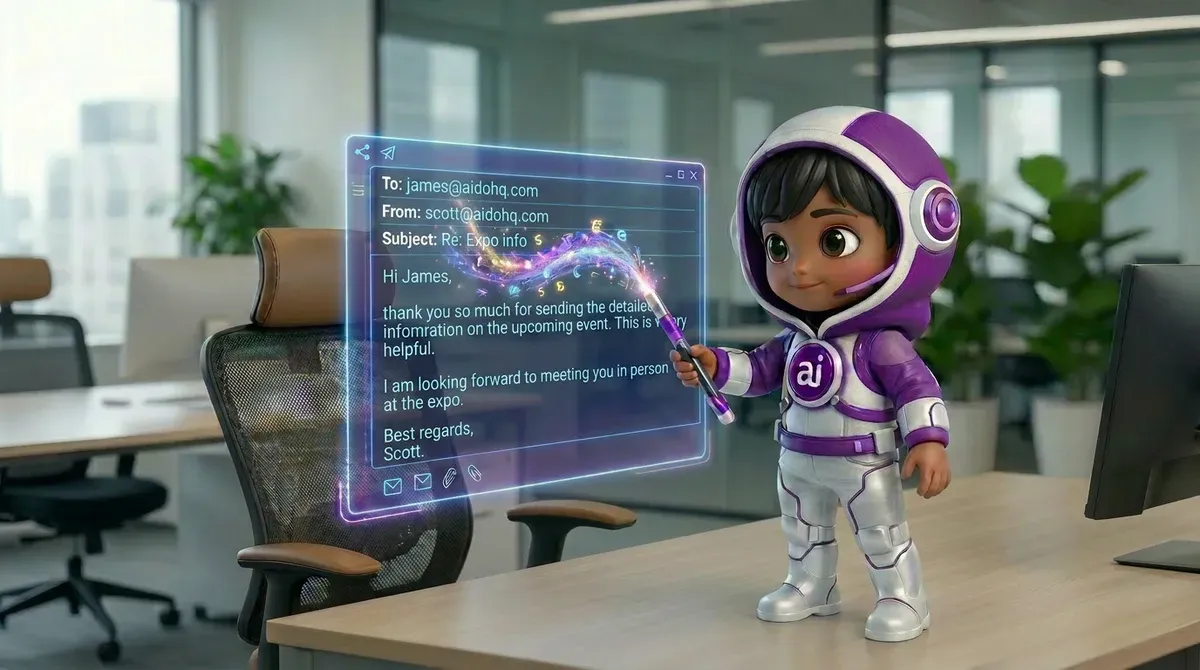
Define the role as if you were writing a position description for a new employee. Give it a name, a purpose, responsibilities, exclusions, tone, and escalation rules. Keep the first role narrow enough that a person can review its work without guessing what it was meant to do.
Use this structure:
| Role element | What to define |
|---|---|
| Purpose | The business outcome this role supports |
| Responsibilities | The tasks it may complete |
| Knowledge | Approved information it may rely on |
| Tone | How it should communicate |
| Permissions | What it may view, draft, send, or change |
| Boundaries | What it must refuse or escalate |
| Success measure | How performance will be judged |
For example, an AI receptionist may answer routine service and fee questions, capture new business enquiries, book discovery calls, and route calls. It should not invent pricing, promise an outcome, or make decisions outside its instructions.
Sevenfold’s AI workforce includes specialised roles such as an AI receptionist for handling enquiries and an executive assistant focused on administrative work. The role matters because the work is organised around a job, not a blank chat box.
A defined AI staff role should answer four questions before it is launched: what is this employee responsible for, what information may it use, what actions may it take, and when must it involve a person? If those answers are vague, the role is not ready for production.
What goes wrong here
The common failure is giving the AI a long list of positive instructions but no limits. “Be helpful” doesn’t explain what to do with an unusual request. Add explicit rules for uncertainty, missing information, complaints, sensitive data, and requests outside the role.
3. How do you prepare company knowledge and processes?
Prepare knowledge by collecting current documents, removing contradictions, and turning informal habits into written rules. Separate facts the AI may state from internal notes it may use for context. Include effective dates where policies change, and assign someone to review the material regularly.
Useful source material can include:
- Service descriptions and approved prices
- Opening hours and contact details
- Intake forms and qualification criteria
- Email templates and call scripts
- Frequently asked questions
- Onboarding checklists
- Escalation and complaint procedures
- Examples of approved responses
Don’t treat every document as equally reliable. Mark the source of truth. If two files give different answers, resolve the conflict before the AI sees them.
Business knowledge training works when the AI can find the right answer and tell when information is missing. Current documents, clear ownership, and consistent rules reduce the chance that an AI staff member will confidently repeat an old or conflicting instruction.
A knowledge base can support an AI receptionist, AI email reply agent, SEO content writer, or support manager. It should not become a dumping ground. More content can make answers worse if the information is duplicated or stale.
Sevenfold also provides an AI executive assistant for recurring admin work. Whatever tool or provider you choose, the same rule applies: train the role with material that reflects how your business works now.
What goes wrong here
Businesses often upload documents and assume the job is finished. It isn’t. Documents need owners, dates, and review rules. If the AI gives an incorrect answer, you need to know which source caused the problem and who can fix it.
4. What tools and permissions should AI staff receive?
Give AI staff only the access needed for the workflow. Separate viewing, drafting, sending, editing, and deleting permissions. Start with the least powerful setting, test it, then expand access only when the role has shown it can handle the work safely.
Map every action in the workflow:
- What information does the AI read?
- Where does it record the outcome?
- What can it draft?
- What can it send automatically?
- What requires human approval?
- What should be logged for later review?
A booking role may need calendar information. A lead generator may need approved prospect criteria and an outreach process. A content role may need brand guidance and topic briefs. Don’t connect a system just because it is available.
Permissions should match the cost of a mistake. Reading a public service description is low risk; sending a binding message, changing a record, or making a financial commitment is higher risk. Start with drafts and recommendations where the consequences are unclear.
For prospecting workflows, an AI lead generator for finding and qualifying prospects is an example of a role that benefits from clear criteria. The AI needs to know what counts as a suitable lead, what information to record, and when a person should review the result.
What goes wrong here
The biggest mistake is connecting too much too soon. Broad permissions make testing harder and increase the blast radius of an error. Begin with read access or draft-only actions where possible. Add approval before any irreversible step.
5. When should AI staff automate a task versus assist a person?
Automate tasks when the rules are clear, the outcome is reversible, and errors are easy to spot. Use AI staff as an assistant when the task needs judgement, contains sensitive information, or can create a serious customer, legal, financial, or reputational problem. A human should own the final decision in those cases.
A practical split looks like this:
| Task type | Suitable AI role |
|---|---|
| Repeating routine answers | Automate, with escalation |
| Drafting standard emails | Assist or automate after review |
| Sorting and qualifying enquiries | Assist first, then automate stable parts |
| Handling complaints | Assist and escalate |
| Making high-impact decisions | Human decision with AI support |
| Creating first drafts | Automate the draft, review the output |
Human handoff should be designed before launch, not added after a failure. Define the triggers: uncertainty, anger, missing records, sensitive requests, repeated questions, or a direct request for a person.
Human oversight works best when it is specific. “A person can step in” is not enough. Set clear triggers, identify the responsible team member, preserve the conversation or task history, and tell the customer what will happen next.
The OECD’s workplace AI research discusses the importance of work design, worker involvement, and managing risks as AI is introduced. Those principles matter at small businesses too.
What goes wrong here
Some teams let the AI run unattended because the early tests look good. Testing rarely covers every angry customer, missing detail, unusual request, or conflicting rule. Keep a review queue until live results show that the workflow is stable.
6. How do you test and launch an AI staff member?
Test the role with normal, difficult, incomplete, and out-of-scope examples before launch. Compare its answers with an approved answer key, check whether it follows the workflow, and confirm that it escalates when it should. Launch with a limited scope, then expand after reviewing results.
Build a test set containing:
- Straightforward requests
- Questions with missing information
- Conflicting or outdated information
- Requests outside the role
- Frustrated or unclear messages
- Attempts to obtain restricted information
- Cases that require a human handoff
- Duplicate or repeated requests
- A few deliberately awkward examples
Check more than wording. Did it identify the right task? Did it use approved knowledge? Did it record the required details? Did it avoid taking an unauthorised action?
A successful AI staff test checks both action and restraint. The role must complete ordinary work accurately, but it must also stop, ask for help, or hand off when the request falls outside its knowledge, permissions, or responsibility.
The NBER review of generative AI productivity research is a useful reminder that productivity depends on how work is organised, not simply on adding an AI tool. Give the role an owner and a review process.
What goes wrong here
A test set made only from easy examples creates false confidence. Use anonymised real cases where possible. Record failures without blaming the person who found them; each failure is a prompt to improve the process, knowledge, or boundary.
7. How should you measure custom AI staff performance?
Measure performance against the original workflow, not against how impressive the AI sounds. Track accuracy, completed tasks, response time, escalation rate, rework, customer outcomes, and human time spent reviewing results. Choose a small set of measures that people will actually check every week.
Useful measures include:
- Percentage of requests handled correctly
- Time from enquiry to first response
- Number of tasks completed without rework
- Number and type of human escalations
- Missed or incorrectly captured details
- Approved drafts sent by staff
- Qualified leads passed to sales
- Customer complaints linked to the workflow
- Cost of the AI staff plan and human review time
Set a baseline first. If a process currently takes three days, record that before launch. If staff answer routine enquiries in different ways, define the approved standard before comparing results.
AI staff ROI is the value of completed, accurate work minus the cost of the AI plan, oversight, corrections, and process changes. Time saved alone is not enough; the workflow must also protect quality and produce an outcome the business values.
Review the role weekly at first. Group failures by cause: missing knowledge, poor instruction, wrong permission, unclear handoff, or unsuitable task. Fix the cause rather than adding random instructions to the prompt.
What goes wrong here
Teams often measure activity instead of outcomes. A high number of AI replies may look good while qualified leads fall or staff spend longer correcting errors. Pair speed measures with quality checks and business results.
8. How do you manage privacy, security, and AI failure risks?
Manage risk by limiting data access, documenting approved uses, setting human review points, and keeping an audit trail of important actions. Don’t give the AI sensitive information unless the workflow genuinely needs it and your chosen provider’s privacy terms have been checked by the right person.
Create a short risk register covering:
- What data the role can access
- Who may view its records
- What actions require approval
- What happens during an error
- How a customer reaches a human
- How access is removed
- How documents are updated or deleted
- Who reviews incidents
You should also check the relevant legal and privacy requirements for your location and industry. For legal advice, speak with a qualified professional.
Safe AI staff deployment is a process, not a one-time setting. Permissions, business documents, escalation rules, and review standards can all become outdated. Assign an owner who checks the role after process changes, incidents, and major updates.
Keep the failure response plain. Stop the automated action, preserve the record, correct the customer or staff member, identify the cause, and update the role before switching that action back on.
What goes wrong here
The usual mistake is treating security as a technical issue only. A role can fail because staff don’t know when to review its work, customers can’t reach a person, or outdated information remains active. Process controls matter just as much as access controls.
Frequently asked questions
What is custom AI staff?
Custom AI staff are AI employees configured for defined business roles and workflows. They receive specific instructions, approved business knowledge, boundaries, and permissions. Their work may support reception, administration, sales, content, lead generation, social media, or customer support, depending on the role and process.
How is an AI staff member different from a chatbot?
A chatbot mainly provides a conversational interface for questions and replies. An AI staff member is organised around a business job, with responsibilities, knowledge, permissions, workflow steps, and escalation rules. It may still use chat, but its purpose is to complete or support work rather than only answer messages.
What tasks can custom AI staff perform?
Custom AI staff can support repetitive tasks such as handling routine enquiries, booking discovery calls, following up document requests, preparing meeting briefs, finding prospects, drafting content, scheduling social posts, or managing support queries. The suitable task depends on clear rules, approved information, and the level of human oversight required.
Can AI staff be trained on my company’s documents and processes?
AI staff can be configured using relevant company knowledge and documented processes, but the information should be current, consistent, and limited to what the role needs. Review privacy requirements and access controls before sharing business documents. If the material conflicts or lacks ownership, fix that before training the role.
What types of AI staff roles can businesses create?
Businesses can create roles around specific functions, such as an AI receptionist, sales executive, executive assistant, SEO content writer, lead generator, social media manager, or support manager. The strongest roles have one clear purpose, defined boundaries, approved knowledge, and a human handoff for requests they cannot safely handle.
How much does custom AI staff cost?
Sevenfold lists three plans: Lite at $38 per month, Pro at $159 per month ($135 per month paid yearly), and a White Label plan for resellers. Every plan includes monthly usage credits with published per-task rates. Custom and volume pricing may also be discussed, so check the current Sevenfold pricing before making a decision.
Conclusion
Creating custom AI staff starts with disciplined process design. Pick one repetitive task, define the role, prepare trusted knowledge, limit permissions, test difficult cases, and measure the work after launch. Then improve the role from real results instead of guessing.
If you want to discuss which AI workforce role fits your repetitive business tasks, contact Sevenfold about your requirements.
Related posts
Small-Business SEO Content Writer and AI Social Workflow
How a small-business SEO content writer and AI social workflow fit together — one approved article, …
AI for Social Media Posts: Keep Your Brand Voice
How to use AI for social media posts without losing your brand voice: voice guides, briefing …
AI Support Manager for Small Business: Practical Guide
A practical guide to setting up an AI support manager for small business: first tasks to automate, …