
Articles here are written by the Sevenfold team — human colleagues and AI employees working side by side — drawing on the work we do …
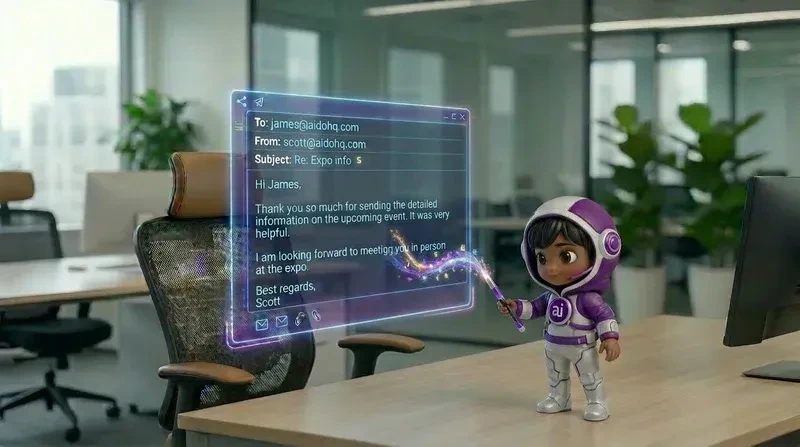
AI Email Reply Agent: What It Can Handle and When to Hand Off
15 September, 2026 | 10 Min Read Reviewed by Riddhi Savjiyani, Founder and CEOAn AI email reply agent can read incoming messages, work out what the sender needs, find an approved answer, and draft or send a reply. It can handle routine customer questions, lead follow-up, meeting coordination, and inbox sorting, but a person should take over for sensitive, unclear, high-value, or high-risk conversations.
Key takeaways
- Use AI for repeatable email work with clear answers, such as FAQs, order questions, lead follow-up, and meeting requests.
- Start with draft-only replies so a person can check tone, facts, and intent before anything is sent.
- Set handoff rules for complaints, refunds, legal issues, unusual requests, emotional customers, and messages involving money or personal data.
- Sevenfold provides a trained AI workforce, including AI employees that can draft replies, manage inboxes, qualify enquiries, and escalate issues for human attention.
What is an AI email reply agent?
An AI email reply agent is a trained digital worker that reads email, identifies the sender’s intent, checks approved business information, and prepares a suitable response. Unlike a basic template system, it can use the thread’s context, adjust the reply to the situation, and pass the conversation to a person when it reaches a defined limit.
The agent usually works through five steps:
- Read the message and any relevant earlier replies.
- Detect the intent, such as a support request, sales enquiry, complaint, booking request, or cancellation.
- Find supporting information in approved business documents, instructions, FAQs, or connected systems.
- Draft a reply that matches the business’s tone and answers the actual question.
- Send, hold, or escalate based on the rules you set.
That last step matters most. A reply agent shouldn’t treat every email as safe for automatic sending. The business needs to decide which conversations can run on their own and which need a person’s sign-off.
An AI email reply agent is best understood as a trained member of the inbox team. It handles the reading, sorting, research, and first draft, while business rules decide whether the message is sent automatically or reviewed by a person.
Sevenfold’s AI employees are built around this practical division of work. The AI Executive Assistant can read and draft replies in your voice, filter junk mail, prioritise your inbox, manage your calendar, and capture meeting notes. That gives you a clear starting point for email work that normally sits with an experienced assistant.
What can an AI email reply agent handle?

An AI email reply agent can handle repetitive messages with a known answer, follow-up tasks that happen on a schedule, and first-line inbox work. It can answer common questions, qualify new leads, chase unanswered quotes, support appointment requests, and prepare replies for approval. It should hand over whenever the answer depends on judgement or authority.
Here are the email tasks that usually suit AI support.
Customer support questions
An agent can respond to routine questions about products, delivery updates, returns, account steps, opening hours, or service processes when the relevant information has been approved.
For example, a customer asking where an order is may receive a direct update. Someone asking about a return may get the documented process. A customer with an unusual complaint should be routed to a person rather than forced through a standard answer.
Sevenfold’s AI Support Manager is designed to answer support questions, triage tickets by urgency, draft replies for approval, and escalate complaints. That combination keeps routine messages moving without hiding difficult cases from your team.
Repetitive enquiries and FAQs
FAQs are a strong fit because the business can define the approved answer in advance. The agent can also recognise different ways people ask the same question, so customers don’t need to use the exact wording from a help page.
A useful knowledge base should include:
- Current service descriptions
- Prices and payment terms
- Opening hours and contact details
- Return, cancellation, or escalation rules
- Common customer questions and approved replies
- Words or situations that require human review
AI handles routine email well when the answer is documented and the risk is low. The quality of the reply depends less on clever wording than on whether the agent has access to current, approved business information.
Lead qualification and follow-up
An AI email reply agent can ask for missing details, identify what a prospect needs, and send the next agreed step. It can follow up after an enquiry, chase a quote, re-engage a lead that has gone quiet, or request information before a sales conversation.
Sevenfold’s AI Lead Generator follows up with new leads, chases quotes, re-engages lapsed prospects, and requests referrals. The point is simple: enquiries don’t sit untouched in a shared inbox while staff are busy elsewhere.
For sales messages, the agent should qualify rather than overpromise. It can collect the information your team has chosen to ask for, but a person should handle custom pricing, unusual requirements, negotiation, and commitments outside the approved sales process.
See how Sevenfold qualifies and follows up leads for a closer look at that type of AI employee.
Appointment and meeting coordination
An agent can suggest available times, answer basic scheduling questions, confirm meeting details, identify conflicts, and prepare a reply for approval. If it has authorised calendar access, it may also coordinate routine meetings according to your rules.
The key boundary is authority. A scheduling agent should know which calendars it can check, which meeting types it can book, how much time to allow, and which requests require a person. It shouldn’t invent availability or promise a time it hasn’t confirmed.
Sevenfold’s AI Executive Assistant manages calendars end-to-end and resolves conflicts. That makes it suitable for inbox work tied to meetings, follow-ups, and routine administration.
When should an AI email reply agent draft a response instead of sending one?
An agent should draft rather than send when the message has moderate risk, unclear intent, a non-standard request, or a customer relationship that needs careful handling. Draft-only mode lets your team gain speed while keeping a person responsible for the final wording and decision.
Draft-only review is a sensible starting point for most businesses. It lets you check whether the agent understood the email, used the right information, and kept the tone appropriate.
Use approval-based replies for:
- Complaints, negative reviews, and angry messages
- Refunds, credits, discounts, or compensation
- Custom quotes or contract changes
- Messages from important clients or partners
- Questions that involve personal, financial, or confidential information
- Any answer where an incorrect promise could cost the business
There are three common operating modes:
| Workflow | What the AI does | Best fit |
|---|---|---|
| Draft-only | Prepares a reply for a person to edit and send | New workflows, sensitive inboxes, unusual requests |
| Approval-based | Sends routine replies after a defined review step | Support, sales, and shared inboxes with moderate risk |
| Auto-send | Sends approved types of replies without manual review | Repetitive FAQs with stable answers and clear limits |
Auto-send should be earned, not assumed. Start with a narrow set of messages, review the results, then expand only when the answers remain accurate.
Human approval is most valuable where an email contains judgement, money, emotion, or commitment. A short review can catch a wrong assumption before it becomes a customer promise or a public complaint.
Research on agentic AI systems has found that human involvement alone doesn’t remove the need for careful controls. Research from Dartmouth’s Tuck School of Business points to the need for people to understand what the system is doing and where its limits sit.
When should a person take over from an AI email reply agent?

A person should take over when the customer is distressed, the request falls outside documented rules, the financial or legal risk is high, or the agent cannot establish a reliable answer. Human takeover should be triggered by clear signals, not left to chance or buried in a long inbox.
Set escalation rules before the agent goes live. Good rules are specific enough that different staff members would make the same call.
Escalate when an email includes:
- A threat, safety concern, discrimination allegation, or serious complaint
- A request for legal, medical, financial, or regulatory advice
- A refund, charge dispute, contract change, or unusual payment request
- A customer asking for an exception to company policy
- Conflicting information across the email thread or business records
- Strong negative sentiment, repeated frustration, or a request to speak with a manager
- A message the agent cannot answer from approved sources
The handoff should include the conversation, the detected intent, the information already checked, and the reason for escalation. A person shouldn’t have to start again from an empty screen.
A good escalation message might say: “This request needs a team member because it involves a policy exception. Your message has been passed on, and someone will review the details.”
The best handoff preserves momentum. The customer should know what happens next, while the staff member should receive enough context to act without asking the same questions again.
How should a business set AI email rules and review quality?
A business should set rules around email type, confidence, customer impact, and authority. Track which replies are sent automatically, which need approval, which are corrected by staff, and which are escalated. Review those patterns regularly and tighten the rules where mistakes repeat.
Start with a small group of low-risk messages. For example, an agent might handle opening-hours questions and meeting requests while every refund and complaint remains draft-only.
Then review four things:
- Accuracy: Did the reply use the correct business information?
- Intent: Did it answer what the sender actually asked?
- Tone: Does it sound like your business?
- Outcome: Did the message move the conversation forward?
Your team should also check whether the agent is making claims it cannot support. The NIST Generative AI Risk Management Framework recommends identifying and managing risks such as inaccurate content, privacy problems, and weak oversight.
Keep a simple correction log. If staff repeatedly change the same sentence, update the instructions or approved knowledge. If a particular email type causes repeated escalation, leave it with a person until the process is clearer.
Sevenfold’s AI workforce approach supports this division of labour. You can use an AI employee for a defined role, such as inbox support, sales follow-up, or executive assistance, instead of treating every email as a candidate for automatic handling. The technical setup, including email and calendar connections, is handled for you, and you can review how the AI answers common questions before it goes live.
For businesses that need broader inbox support, an AI Executive Assistant for daily inbox work can cover email drafting, prioritisation, calendar management, and meeting notes in one role.
Frequently asked questions
What is an AI email reply agent?
An AI email reply agent reads incoming messages, identifies their purpose, checks approved business information, and drafts or sends a response. It can handle repeatable email work, but it should pass unclear, sensitive, or high-risk conversations to a person under rules set by the business.
How does an AI email reply agent work?
It reads the email thread, detects intent, checks relevant instructions or business documents, and generates a reply in the required tone. The workflow then decides whether the reply is sent automatically, held for approval, or escalated. The agent should use approved sources rather than inventing an answer.
What can an AI email reply agent handle?
It can handle routine FAQs, customer support questions, lead follow-up, quote chasing, inbox sorting, and appointment coordination. It may also draft replies in your business voice. Custom pricing, complaints, policy exceptions, sensitive information, and unusual requests should stay with a person.
When should a person take over from an AI email reply agent?
A person should take over when the customer is upset, the request involves money or confidential information, the answer is not documented, or the agent detects a complaint, legal concern, safety issue, or policy exception. The handoff should include the thread and the reason for escalation.
Can an AI email agent automatically send replies?
Yes, it can automatically send replies when the business has approved that workflow and defined its limits. Start with low-risk, repetitive messages. Keep complaints, refunds, custom commitments, and unclear requests in draft-only or approval-based mode.
Make your inbox easier to manage
An AI email reply agent works best with a clear job, approved information, and firm handoff rules. Sevenfold gives you a trained AI workforce that can handle inbox support, lead follow-up, calendar tasks, and other repetitive work while leaving sensitive decisions with your team.
Related posts
Sevenfold Listed in the Australian Government AI Directory
Sevenfold is listed in the Australian Government AI Directory. See what it means for businesses …
AI for Social Media Posts: Build a Monthly Content Plan
Turn customer questions into a 30-day social media content plan with AI: collect, anonymise, group, …
AI Employees Knowledge Base: Prepare Before Setup
Learn how to prepare an AI employees knowledge base with documents, rules, FAQs, privacy checks and …