
Articles here are written by the Sevenfold team — human colleagues and AI employees working side by side — drawing on the work we do …

AI Receptionist for Small Business: Answer Calls, Book More Work
17 September, 2026 | 12 Min ReadMeta description: Learn how an AI receptionist answers calls, books appointments and routes enquiries, plus how Sevenfold’s Desky supports your front desk.
AI Receptionist for Small Business: Answer Calls and Book More Work
An AI receptionist answers business calls, handles routine enquiries, books appointments and sends important matters to the right person. Sevenfold’s Desky is a specialised AI receptionist for businesses that need more consistent phone coverage without asking staff to stop serving customers every time the phone rings.
Key takeaways
- An AI receptionist can answer calls, manage bookings, send reminders, route enquiries and transfer calls.
- Sevenfold’s Desky is designed for defined receptionist work, including appointment handling and call transfers.
- The best setup gives the AI clear boundaries and a reliable process for handing complex matters to people.
- Sevenfold Business is listed at $149 per month per workspace, billed yearly, and a new workspace is typically live in 3–5 days.
What is an AI receptionist and how does it work?
An AI receptionist is a phone-based assistant that handles defined front-desk tasks for a business. It answers incoming calls, manages routine questions, supports bookings, sends notifications and transfers calls when a team member needs to step in. Sevenfold’s Desky is built for this receptionist role.
A caller might need an appointment, a cancellation, a basic service answer or the right department. Desky gives the call a clear path instead of leaving staff to improvise while they’re busy.
That matters during service.
A useful AI receptionist needs more than a voice. It needs a defined role, approved business information and clear rules for what happens next. If a request falls outside that role, the call should move to a person rather than forcing the AI to guess.
Research such as the University of Miami field experiment on voice-based AI in call centres shows why real call handling deserves careful testing. The quality of the conversation matters, but so do accuracy, customer outcomes and the handover process.
An AI receptionist works best when its job is narrow enough to manage properly. Desky focuses on receptionist work such as answering calls, handling appointments, sending notifications and transferring calls, giving your team a defined place to review and improve.
Sevenfold’s wider approach is based on specialised AI employees. Each role is given a particular business function rather than being asked to handle every task in the company.
For a closer look at the difference between phone coverage options, read our guide to AI receptionist and AI phone service differences.
What tasks can an AI receptionist handle?
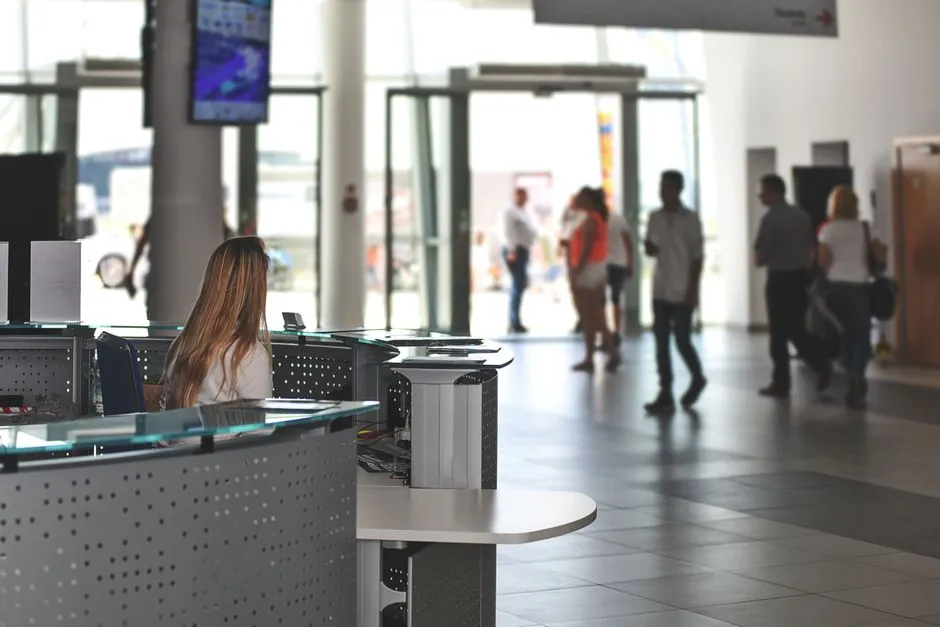
An AI receptionist can take care of repeatable phone work that follows clear instructions. Desky handles incoming calls, appointment requests, call transfers and notifications. Depending on the business, the receptionist workflow can also cover reservations, cancellations, function enquiries, dietary requirements, patient questions and fee enquiries.
Start with the calls your team receives most often.
Separate straightforward requests from matters that need professional judgement, approval or a sensitive conversation. The first group may suit an AI receptionist. The second needs a clear human handover.
Common tasks include:
- Answering incoming calls when staff are already serving customers or working on-site.
- Managing appointments so callers can request available times through the business process.
- Sending notifications and reminders after a booking or other agreed action.
- Routing enquiries to the right person or department.
- Transferring calls when a team member needs to speak directly with the caller.
- Handling reservations and cancellations for hospitality businesses, including function enquiries and dietary requirements.
For a healthcare practice, the phone workflow may involve patient enquiries, appointment bookings, fee questions and urgent matters. Urgent issues need a defined escalation process. The AI receptionist should follow the practice’s instructions and send matters to the appropriate person when they fall outside routine administration.
For a restaurant, the work is different. The receptionist can handle reservation calls during service, collect dietary requirements, manage cancellations and record function enquiries. That gives the front-of-house team more room to focus on guests already in the venue.
The strongest AI receptionist use cases are repetitive, clear and easy to check. Desky is assigned the receptionist function, so your business can decide which calls it handles and which calls move straight to a person.
A sensible rollout starts small. Choose the call types that consume staff time but follow a repeatable process. Review those interactions before adding more complex requests.
What are the benefits of using an AI receptionist?
An AI receptionist gives your business a consistent first response when customers call. It can help cover busy periods, handle routine booking requests and keep callers moving towards the right next step. The value comes from matching the receptionist to real call types, not from handing every possible conversation to an AI.
Missed calls create extra work.
A caller may want to book, ask about a service or check what happens next. If nobody answers, that person has to leave a message, call again or try another business.
Desky gives the first part of that interaction a defined owner. It can answer the call, handle supported receptionist tasks and transfer matters that need a team member.
The practical benefits include:
- Fewer interruptions for staff who are already helping customers.
- A more consistent approach to common phone enquiries.
- Better coverage when several calls arrive close together.
- A clear transfer point for questions that need human judgement.
The U.S. Bureau of Labor Statistics overview of receptionist work includes answering questions, directing people and handling phone communication. Those tasks provide a sensible starting point for deciding what an AI receptionist should support.
An AI receptionist carries repeatable phone work so your people can spend more time on customers and decisions. It doesn’t remove the need for oversight. Your team still sets the boundaries and handles exceptions.
Sevenfold’s model separates business functions into specialised AI employees. That structure matters if your business wants to expand beyond reception. Phone work can remain with Desky while other roles cover separate areas such as sales, content, support or administration.
The receptionist stays accountable for reception.
How much does an AI receptionist cost?

Sevenfold Business is listed at $149 per month per workspace, billed yearly. The amount is shown as a monthly equivalent, so confirm the annual payment terms before you buy. Cost should be assessed alongside the calls covered, the setup process and the quality of human handovers.
A cheap receptionist can still create work if staff need to correct bookings or return calls after unclear conversations. A higher price may also be poor value if the workflow doesn’t match the calls your business receives.
Begin with the work, not the software label.
Write down the common call types, the information each caller needs and the point where a person should take over. Then check the following six areas:
- Role definition: Can the receptionist be limited to a clear set of phone tasks?
- Business information: Can it use the approved details your callers need?
- Call handling: Can it answer, manage appointments, send notifications and transfer calls?
- Human handover: Is there a clear process for requests outside its role?
- Review process: Can your team check failed bookings, missed transfers and unresolved enquiries?
- Setup timing: Does the implementation process give your team time to check the workflow before launch?
A new Sevenfold workspace is typically fully live in 3–5 days. That gives a small business a defined setup window, while still leaving time to confirm the receptionist’s instructions and escalation process.
Sevenfold also lists a White Label plan at $99 per workspace, billed yearly. That plan is for partners that want to offer the AI workforce under their own brand. Businesses choosing a workspace for their own operations should look at the Business plan.
The right AI receptionist is the one that fits your actual call flow. Define the work first, then assess whether the plan, setup time and handover process support it.
If you’re considering a wider team, our guide to building an AI workforce for small business explains how specialised roles can sit alongside receptionist work.
Which businesses benefit most from an AI receptionist?
An AI receptionist suits businesses that receive regular phone enquiries, appointment requests or reservations. Sevenfold’s examples include hospitality and healthcare practices, where staff often need to answer the phone while serving people in front of them. Other businesses may also fit if their calls follow clear, repeatable processes.
The industry matters less than the call pattern.
A cleaning service may need to capture an enquiry while a team member is on-site. A day spa may need appointment requests handled during treatment times. A professional practice may need calls routed without interrupting a consultation.
Good candidates tend to have:
- Regular calls about appointments, reservations or availability.
- Staff who spend part of the day away from the phone.
- Simple questions that can be answered from approved business information.
- A clear person or department for escalations.
- A cost to missed calls that the business can identify.
For hospitality, Desky can support reservation calls during service, function enquiries, cancellations and dietary requirements.
For healthcare practices, it can support patient enquiries, appointment bookings, fee questions and urgent matters, provided the practice defines how urgent issues are handled.
An AI receptionist is a practical fit where phone demand is regular and the first step is predictable. It is less suitable as the sole handler for matters that require specialist judgement, sensitive advice or a detailed assessment.
Before launch, listen to a sample of real calls and mark the moments where staff need to make a decision. Those moments should become transfer points, not hidden assumptions.
What are the limits and risks of an AI receptionist?
An AI receptionist should operate inside a controlled boundary. It needs current business information, clear escalation rules and regular review. It shouldn’t be treated as an unsupervised decision-maker, especially when a caller needs professional advice, urgent help or a response that depends on context.
The risks are practical.
A caller may receive an outdated answer. A booking may miss information the team needs. A transfer may go to the wrong person. An urgent matter may need a process that the receptionist cannot decide for itself.
Check six areas regularly:
- Accuracy: Are answers still consistent with current services and policies?
- Booking quality: Does the team receive the details needed to act?
- Transfer quality: Do calls reach the right person or department?
- Escalation: Are urgent or sensitive matters handled under the agreed process?
- Transparency: Does the caller understand the nature of the interaction?
- Ownership: Does someone review issues and update the workflow?
The NIST AI Risk Management Framework provides a useful structure for identifying and managing AI risks. For a small business, that can mean assigning an owner, testing common scenarios and recording changes to the receptionist process.
An AI receptionist should have a boundary that your team understands. Give Desky defined receptionist work, set transfer rules for exceptions and keep people responsible for decisions that need judgement.
Measure the system against the reason you introduced it. If the problem is missed calls, review answered calls and unresolved enquiries. If the aim is easier bookings, review completed bookings, failed handovers and the information passed to staff.
The numbers should lead to a change.
How should you evaluate and implement an AI receptionist?
Evaluate an AI receptionist by mapping your real calls, defining its responsibilities and testing the handover points before relying on it. Start with a limited group of repeatable tasks, check how the process performs and update the instructions when your team finds a gap.
A useful implementation plan has seven steps:
- List the common reasons people call.
- Mark which requests are routine and which need a person.
- Write the approved answers and booking rules.
- Define who receives transferred or escalated calls.
- Test normal, unusual and urgent scenarios.
- Review bookings, transfers and unresolved enquiries after launch.
- Update the process as your business changes.
Don’t start by trying to automate every conversation. A tight first workflow is easier to check and easier for staff to trust.
Sevenfold’s Business plan is priced at $149 per month per workspace, billed yearly, and a new workspace is typically live in 3–5 days. Use that information alongside your call map when deciding whether the setup suits your business.
A good AI receptionist implementation begins with a call map. Once you know what callers ask, what the AI can handle and where a person must step in, you can judge the setup on work that matters to your business.
Frequently asked questions
Can an AI receptionist book appointments?
Yes. Appointment handling is one of Desky’s receptionist tasks. The workflow should reflect the business’s booking process and availability, while staff remain responsible for keeping those details accurate. Desky can also send notifications connected to the agreed receptionist process.
Is an AI receptionist the same as an AI phone service?
The terms can overlap, but an AI receptionist usually refers to a defined front-desk role. That role may include answering calls, managing appointments, routing enquiries and transferring callers. An AI phone service can cover a broader range of call tasks, so check the exact workflow rather than relying on the label.
Which businesses can use an AI receptionist?
Businesses with repeatable phone enquiries, bookings or reservations are often the clearest fit. Sevenfold provides receptionist use cases for hospitality and healthcare practices. Suitability still depends on the calls you receive, the information available and the level of judgement required.
How much does Sevenfold’s AI receptionist cost?
Sevenfold Business is listed at $149 per month per workspace, billed yearly. The price is presented as a monthly equivalent. Sevenfold also lists White Label at $99 per workspace, billed yearly, for partners offering the AI workforce under their own brand.
How quickly can Sevenfold set up an AI receptionist?
A new Sevenfold workspace is typically fully live in 3–5 days. Your business still needs to provide the information and workflow details needed for the receptionist role. Before launch, check appointment handling, transfers, notifications and escalation rules.
An AI receptionist earns its place by handling defined phone work and giving your team a clean path for everything else. Sevenfold’s Desky is designed for that role, with appointment handling, notifications, call routing and transfers at the centre.
Talk to Sevenfold about setting up an AI receptionist for your business.
Related posts

Custom AI Staff: Build a Practical Digital Workforce
Learn how custom AI staff handle reception, sales, content, admin, leads, social media and support …
AI for SEO for Small Business: Refresh Old Pages
Learn how small businesses use AI, Search Console and Analytics to refresh declining pages, match …
AI Customer Communication with Virtual AI Assistants
Learn how small businesses can use virtual AI assistants for FAQs, missed calls, follow-ups, and …