
Organisation is the silent killer of small businesses. Not because owners don’t care about it — but because the sheer volume of tasks, messages, schedules, and follow-ups overwhelms even the most disciplined operator.
A recent study found that workers spend 60% of their time on coordination work — task management, status updates, scheduling, and chasing information — leaving only 27% for skilled work and 13% for strategy. For small business owners who are already wearing every hat in the company, that ratio is even worse.
The right organisation app won’t fix everything. But it can be the difference between a business that runs on systems and one that runs on memory and hope.
This guide reviews the 15 best organisation apps available in 2026. For each one, we cover what it does, its key features, who it’s best for, pricing, and how it fits into a modern small business workflow. At the end, we’ll explain why the smartest businesses are pairing these tools with AI employees — and what that looks like in practice.
Quick Comparison Table
| App | Best For | AI Features | Free Plan | Starting Price | Integrations |
|---|---|---|---|---|---|
| Notion | All-in-one workspace | AI drafting, Q&A, summaries | Yes | $10/user/mo | 100+ |
| Asana | Team project management | Auto-prioritisation, risk prediction | Yes (10 users) | $11/user/mo | 300+ |
| Trello | Visual kanban boards | Butler automation, AI sorting | Yes | $6/user/mo | 200+ |
| Monday.com | Visual workflow management | AI project plans, content generation | Yes (2 users) | $9/seat/mo | 200+ |
| Todoist | Personal task management | Smart scheduling, habit detection | Yes | $5/user/mo | 80+ |
| ClickUp | Feature-rich all-in-one | AI writing, task creation | Yes | $7/user/mo | 1,000+ |
| Airtable | Database-driven workflows | Automations, AI field types | Yes | $20/seat/mo | 100+ |
| Google Workspace | Google ecosystem teams | Gemini AI across all apps | No | $7/user/mo | 5,000+ |
| Microsoft 365 | Microsoft ecosystem teams | Copilot AI across all apps | No | $6/user/mo | 700+ |
| Slack | Team communication hub | Channel summaries, Workflow Builder | Yes | $8.75/user/mo | 2,600+ |
| Motion | AI auto-scheduling | Full calendar AI scheduling | No | $19/user/mo | 50+ |
| Basecamp | Simple team PM | Basic automation | No | $15/user/mo | 50+ |
| Sunsama | Daily planning rituals | Guided daily planning | No | $20/mo | 30+ |
| Akiflow | Fast task capture | AI time-blocking | No | $15/mo | 40+ |
| Morgen | Calendar + task fusion | AI scheduling suggestions | Yes | $15/mo | 50+ |
The 15 Best Organisation Apps — In Depth
1. Notion
Best for: Teams and individuals who want a single, deeply customisable workspace that replaces multiple apps — notes, docs, tasks, databases, wikis, and project management in one platform.
Notion has become one of the most popular productivity platforms in the world, and for good reason. Its block-based editor lets you build virtually any system — from a simple to-do list to a complex client portal — using a combination of pages, databases, and templates.
Key Features:
- Block-based editor for pages, docs, and wikis
- Relational databases with multiple views (table, board, calendar, timeline, gallery)
- Notion AI for drafting, summarisation, Q&A across your workspace, and autofill database properties
- Notion Calendar for integrated scheduling
- Notion Mail for email management within the workspace
- 100+ integrations including Slack, Google Drive, GitHub, and Figma
- Templates marketplace with thousands of pre-built setups
- Real-time collaboration with comments, mentions, and shared workspaces
Use case example: A digital marketing agency uses Notion as their central hub — client briefs live in databases, project timelines are tracked on board views, meeting notes auto-populate from calendar events, and Notion AI summarises weekly progress across all active projects.
What makes it stand out: Notion’s flexibility is unmatched. You can build a CRM, a content calendar, a team wiki, and a task manager all in the same workspace. The recent additions of Notion Calendar and Notion Mail are turning it into a true operating system for work.
Pricing: Free plan available for individuals. Plus from $10/member/month. Business from $18/member/month. Enterprise pricing available on request.
2. Asana
Best for: Teams that need structured project management with clear task hierarchies, accountability, timelines, and goal tracking — particularly marketing, operations, and product teams.
Asana is purpose-built for team project management. It excels at breaking large initiatives into projects, tasks, and subtasks, assigning clear ownership, setting deadlines, and tracking progress toward goals.
Key Features:
- Multiple project views: list, board (kanban), timeline (Gantt), and calendar
- Task dependencies, milestones, and custom fields
- Goals and portfolio tracking for leadership visibility
- AI-powered smart task assignment and auto-prioritisation
- AI project risk prediction and mitigation suggestions
- Workflow automations (Rules) for moving tasks, assigning owners, and sending notifications
- 300+ integrations including Slack, Google Workspace, Microsoft Teams, Salesforce, and Jira
- Workload management for team capacity planning
Use case example: A construction company uses Asana to manage their entire project pipeline — each build is a project, with tasks for procurement, inspections, client approvals, and trade scheduling. Rules automatically notify the project manager when a task is overdue, and the timeline view gives the client a visual overview of progress.
What makes it stand out: Asana’s strength is accountability. Every task has an owner and a deadline. The Goals feature connects daily tasks to company objectives, giving teams line-of-sight from individual work to strategic outcomes.
Pricing: Free for up to 10 users. Starter from $10.99/user/month. Advanced from $24.99/user/month. Enterprise and Enterprise+ pricing available on request.
3. Trello
Best for: Visual thinkers and small teams who want the simplest possible way to organise tasks and projects using drag-and-drop kanban boards.
Trello’s iconic card-and-board interface is one of the most recognisable in project management. You create boards for projects, lists for stages, and cards for tasks — then drag them through your workflow.
Key Features:
- Drag-and-drop kanban boards with cards, lists, labels, and checklists
- Butler automation engine for rules, buttons, scheduled actions, and AI-powered card sorting
- Multiple views on paid plans: timeline, table, calendar, dashboard, and map
- Power-Ups for adding functionality (custom fields, voting, card aging, integrations)
- 200+ integrations including Slack, Google Drive, Jira, and Confluence
- Free plan with unlimited cards and up to 10 boards per workspace
Use case example: A hair salon uses a Trello board to track their weekly social media content — lists for “Ideas,” “Writing,” “Scheduled,” and “Published,” with cards for each post. The owner drags cards across as content moves through the pipeline.
What makes it stand out: Trello’s genius is simplicity. There’s virtually no learning curve. You can be productive within minutes of signing up. Butler automation adds power without adding complexity — making it the best option for teams that want organisation without overhead.
Pricing: Free plan available. Standard from $6/user/month. Premium from $12.50/user/month. Enterprise pricing available.
4. Monday.com
Best for: Teams that need a visual, flexible work management platform with strong automation, dashboards, and the ability to support multiple use cases (PM, CRM, marketing, HR) from a single platform.
Monday.com offers a colourful, spreadsheet-like interface that’s easy to customise for virtually any workflow. Its automation engine is one of the most powerful among visual PM tools.
Key Features:
- Customisable boards with 30+ column types (status, date, numbers, formulas, etc.)
- Multiple views: table, kanban, timeline, Gantt, calendar, chart, and workload
- Automation recipes with if-then logic (200+ pre-built, custom options available)
- AI assistant for auto-generated project plans, content generation, and formula building
- Dashboards with real-time widgets for cross-project visibility
- 200+ integrations including Slack, Google Workspace, HubSpot, Salesforce, and Zoom
- Dedicated products for CRM, Dev, and Service management built on the same platform
Use case example: A home services company uses Monday.com to manage their entire operation — a board for job scheduling, a board for quote pipeline, a board for customer follow-ups, and a dashboard that gives the owner a real-time view of revenue, active jobs, and overdue tasks.
What makes it stand out: Monday.com’s versatility across use cases is its biggest advantage. A single platform can run project management, CRM, marketing campaigns, and HR workflows — reducing the need for multiple tools.
Pricing: Free for up to 2 seats. Basic from $9/seat/month. Standard from $12/seat/month. Pro from $19/seat/month. Enterprise pricing on request.
5. Todoist
Best for: Individuals and small teams who want a fast, focused task management app that helps you capture, organise, and complete your to-do list without the overhead of a full project management platform.
Todoist strips task management down to its essentials. Natural language input, smart scheduling, and a clean interface make it one of the fastest ways to capture and organise work.
Key Features:
- Natural language task creation (“Email the client tomorrow at 2pm” automatically sets the date and time)
- Priority levels (P1–P4) with colour coding
- Labels, filters, and custom views for organising tasks
- Todoist AI assistant with smart scheduling, priority suggestions, and habit detection
- Recurring tasks with flexible scheduling options
- Karma system for productivity tracking and motivation
- 80+ integrations including Google Calendar, Slack, Zapier, and IFTTT
- Cross-platform apps (web, desktop, iOS, Android, browser extensions)
Use case example: A solo consultant uses Todoist to manage everything from client deliverables to personal errands. Natural language input means she can add “Prepare proposal for Smith project by Friday” in two seconds, and Todoist schedules it with the right deadline.
What makes it stand out: Todoist’s AI assistant learns your patterns — when you typically work, what you tend to procrastinate on, what tasks are recurring — and nudges you toward better scheduling. It’s productivity coaching built into a to-do app.
Pricing: Free plan (5 projects, basic features). Pro from $5/user/month. Business from $8/user/month.
6. ClickUp
Best for: Teams that want the most feature-rich all-in-one platform available — tasks, docs, goals, whiteboards, time tracking, chat, and dashboards in a single product.
ClickUp positions itself as the “everything app for work” and delivers on that promise with an extraordinarily deep feature set.
Key Features:
- Tasks with multiple views: list, board, Gantt, timeline, table, calendar, mind map, and whiteboard
- ClickUp Docs for wikis, SOPs, and collaborative documents
- Goals with measurable targets, OKRs, and progress tracking
- Time tracking built into tasks (no separate tool needed)
- Whiteboards for visual brainstorming and planning
- Chat built into the workspace for team communication
- ClickUp AI for writing, summarisation, task creation, and action item extraction
- 1,000+ integrations including Slack, Google Workspace, GitHub, HubSpot, and Figma
- Automations with conditional triggers and multi-step workflows
- Custom dashboards with 50+ widget types
Use case example: A growing e-commerce company uses ClickUp for everything — product development sprints tracked on board views, marketing campaigns planned on timelines, customer support workflows automated through rules, and executive dashboards showing KPIs across all departments.
What makes it stand out: ClickUp’s depth is genuinely remarkable. It can handle use cases that would normally require 3–4 separate tools. The trade-off is a steeper learning curve — but for teams willing to invest in setup, the payoff is a truly unified workspace.
Pricing: Free plan available. Unlimited from $7/member/month. Business from $12/member/month. Enterprise pricing on request.
7. Airtable
Best for: Teams that need a flexible, database-driven workspace for tracking anything from content calendars and event planning to inventory management and CRM — with the familiarity of a spreadsheet.
Airtable bridges the gap between spreadsheets and databases. It gives you the visual simplicity of Excel with the relational power of a proper database — plus views, automations, and app-building capabilities.
Key Features:
- Spreadsheet-style interface with relational database power (linked records, lookups, rollups)
- Multiple views: grid, kanban, calendar, gallery, Gantt, and form
- Automations with triggers, conditions, and multi-step workflows
- Interface Designer for building custom apps and dashboards without code
- AI field types for categorisation and content generation
- 100+ integrations including Slack, Salesforce, Google Workspace, and Jira
- Scripting and API access for advanced customisation
- Sync across bases for enterprise-scale data management
Use case example: A restaurant group uses Airtable as their operational hub — one base for menu management (linked to suppliers), one for event bookings (linked to the calendar), and one for staff scheduling. Interface Designer gives managers a clean, mobile-friendly view of what’s happening across all locations.
What makes it stand out: Airtable’s Interface Designer is a game-changer. It lets you build custom front-ends for your data without any code — meaning you can create client portals, team dashboards, and operational apps that look and feel like purpose-built software.
Pricing: Free plan (1,000 records per base). Team from $20/seat/month. Business from $45/seat/month. Enterprise Scale pricing on request.
8. Google Workspace
Best for: Teams already living in the Google ecosystem who want seamless integration across email, documents, spreadsheets, calendar, video calls, and cloud storage — with Gemini AI woven throughout.
Google Workspace isn’t a project management tool in the traditional sense. It’s the productivity backbone that millions of businesses run on — and for many small businesses, it’s the only “organisation app” they need.
Key Features:
- Gmail with smart compose, priority inbox, and Gemini AI drafting
- Google Docs, Sheets, and Slides with real-time collaboration
- Google Calendar with scheduling, appointment slots, and Gemini suggestions
- Google Drive with 15GB–5TB storage per user
- Google Meet for video conferencing
- Gemini AI embedded across all apps for drafting, analysis, summarisation, and smart suggestions
- Google Chat and Spaces for team messaging
- 5,000+ third-party integrations via Google Workspace Marketplace
- Admin controls, security, and compliance for business use
Use case example: A consulting firm runs entirely on Google Workspace — client proposals in Docs, financial models in Sheets, project timelines in Calendar, file storage in Drive, and team communication in Chat. Gemini helps draft proposal sections and summarise lengthy email threads.
What makes it stand out: The integration between Google apps is unmatched. A Calendar event can link to a Google Doc agenda, which references a Sheets data source, stored in a shared Drive folder. For teams that live in Google, nothing else comes close to this level of interconnection.
Pricing: Business Starter from $7/user/month. Business Standard from $14/user/month. Business Plus from $22/user/month. Enterprise pricing on request.
9. Microsoft 365 + Copilot
Best for: Businesses embedded in the Microsoft ecosystem who want enterprise-grade productivity tools with AI-powered assistance across Word, Excel, Outlook, Teams, PowerPoint, and OneNote.
Microsoft 365 remains the enterprise standard for document creation, email, spreadsheets, and collaboration. The addition of Copilot AI has transformed it into an AI-assisted productivity suite.
Key Features:
- Word, Excel, PowerPoint, and OneNote with Copilot AI assistance
- Outlook for email and calendar management with AI-powered summaries and drafting
- Microsoft Teams for chat, video calls, and collaboration
- SharePoint and OneDrive for document management and storage
- Copilot AI draws from your Microsoft Graph (emails, files, meetings, chats) for contextual suggestions
- Power Automate for workflow automation across Microsoft and third-party apps
- 700+ integrations via Microsoft AppSource
- Enterprise-grade security, compliance, and admin controls
Use case example: A law firm uses Microsoft 365 for all client work — documents in Word, case tracking in Excel, client communication in Outlook, and team collaboration in Teams. Copilot drafts initial responses to client emails, summarises meeting transcripts, and builds PowerPoint decks from Word documents.
What makes it stand out: Copilot’s ability to pull context from across your entire Microsoft environment — emails, files, meetings, chats — means it understands your work context in a way that standalone AI tools cannot. For organisations already on Microsoft, this contextual intelligence is a significant advantage.
Pricing: Microsoft 365 Business Basic from $6/user/month. Business Standard from $12.50/user/month. Business Premium from $22/user/month. Copilot add-on available at additional cost.
10. Slack
Best for: Teams that need a central communication hub with organised channels, threaded conversations, and deep integrations that connect every other tool in their stack.
Slack has evolved from a messaging app into a work operating system. For many teams, it’s the place where decisions happen, updates are shared, and workflows are triggered.
Key Features:
- Channels for organising conversations by team, project, topic, or client
- Threads for keeping conversations focused and reducing noise
- Slack Connect for collaborating with external partners and clients
- Slack AI for channel summaries, catch-up digests, and workspace Q&A
- Workflow Builder for creating automated processes without code
- Huddles for instant audio/video calls
- Canvas for shared documents and notes within channels
- 2,600+ app integrations including Google Workspace, Microsoft 365, Asana, Trello, Jira, and Salesforce
- Enterprise Key Management for security-sensitive organisations
Use case example: A marketing agency uses Slack channels for each client project, with automated workflows that post new Asana tasks into the relevant channel, Slack AI that summarises missed conversations for team members returning from leave, and Canvas documents that serve as living client briefs.
What makes it stand out: Slack’s role as the connective tissue between all your other tools is what makes it indispensable. With 2,600+ integrations, it becomes the single pane of glass where your entire tech stack surfaces its updates — meaning less app-switching and more context.
Pricing: Free plan available. Pro from $8.75/user/month. Business+ from $12.50/user/month. Enterprise Grid pricing on request.
11. Motion
Best for: Individuals and small teams who want AI to automatically schedule tasks, meetings, and deep work blocks into their calendar — eliminating manual time-blocking.
Motion takes a fundamentally different approach to organisation: instead of giving you boards and lists, it uses AI to build your schedule for you.
Key Features:
- AI auto-scheduling that places tasks into your calendar based on deadlines, priorities, and available time
- Automatic rescheduling when plans change (meetings move, deadlines shift)
- Task management with priorities, deadlines, and project grouping
- Project management with task dependencies and team scheduling
- Meeting scheduler with availability sharing
- Integration with Google Calendar, Outlook, and popular task tools
- “Do Not Disturb” blocks for protecting deep work time
Use case example: A freelance consultant adds all her tasks for the week with deadlines and estimated durations. Motion automatically schedules each task into available calendar slots, protecting her client meeting times and deep work blocks. When a meeting gets rescheduled on Wednesday, Motion reshuffles Thursday and Friday automatically.
What makes it stand out: Motion eliminates the daily “what should I work on now?” decision. By automatically scheduling your tasks based on deadlines and priorities, it ensures the most important work always gets done first — without you having to plan your day manually.
Pricing: Individual from $19/month. Team from $12/user/month.
12. Basecamp
Best for: Small teams that want a simple, opinionated project management tool that stays out of the way — no complex features, no kanban, no Gantt charts, just the basics done well.
Basecamp takes a deliberately minimal approach. Every project gets the same structure: a message board, to-do lists, a schedule, shared docs, a group chat, and an automatic check-in feature. That’s it.
Key Features:
- Message boards for asynchronous team communication
- To-do lists with assignments and due dates
- Schedule for milestones and deadlines
- Docs & Files for shared documents and assets
- Campfire (group chat) for real-time conversation
- Automatic check-ins for recurring questions (“What did you work on today?”)
- Hill Charts for visual progress tracking
- Flat pricing — one price for unlimited users
Use case example: A small building company uses Basecamp for each active project — the message board holds client updates, to-do lists track trade scheduling, the schedule shows key milestones, and automatic check-ins replace the daily standup meeting.
What makes it stand out: Basecamp’s flat pricing model is unique — instead of per-seat costs that scale with your team, you pay one price for unlimited users. For growing teams, this can be significantly more affordable than per-user tools.
Pricing: Basecamp from $15/user/month. Basecamp Pro Unlimited at $349/month for unlimited users.
13. Sunsama
Best for: Knowledge workers who feel overwhelmed by their task list and want a guided daily planning ritual that brings tasks from multiple tools into one focused, realistic daily plan.
Sunsama isn’t a project management tool — it’s a daily planning layer that sits on top of your existing tools. Each morning, it guides you through building a realistic plan for the day.
Key Features:
- Guided daily planning workflow that runs each morning
- Pulls tasks from connected tools: Asana, Trello, Todoist, Jira, Gmail, Slack, and more
- Time-boxing for each task to build a realistic daily schedule
- Daily shutdown routine to close out the day and plan for tomorrow
- Weekly review for reflecting on productivity patterns
- Calendar integration for seeing tasks alongside meetings
- Focus mode for working through your daily plan without distractions
Use case example: An operations manager starts each morning with Sunsama’s guided planning. She pulls in overdue Asana tasks, unread Slack messages that need action, and emails that require follow-up. She time-boxes each one into her calendar, sees that she’s overcommitted by two hours, and intentionally moves three tasks to tomorrow.
What makes it stand out: Sunsama’s daily planning ritual is its core innovation. It forces you to confront your workload each morning, make intentional choices about what gets done today, and set boundaries on overcommitting. It’s part productivity tool, part mindfulness practice.
Pricing: From $20/month or $16/month billed annually.
14. Akiflow
Best for: Speed-focused professionals who want a keyboard-driven daily planner that captures tasks instantly from multiple platforms and consolidates everything into one unified view.
Akiflow is built for velocity. A command bar lets you capture tasks in under two seconds, and the platform pulls in items from Gmail, Slack, Notion, Todoist, Asana, and other tools.
Key Features:
- Command bar for instant task capture from anywhere
- Unified inbox pulling tasks from Gmail, Slack, Notion, Todoist, Asana, Jira, and more
- AI-powered time-blocking suggestions based on priorities and available time
- Drag-and-drop scheduling into your calendar
- Priority labels and custom tags for filtering
- Calendar integration with Google Calendar and Outlook
- Daily planning view that combines tasks and calendar events
Use case example: A startup founder uses Akiflow’s command bar to capture action items from meetings in real time — a quick keyboard shortcut, a few words, and the task is in his unified inbox. At the end of the day, he drags unfinished items into tomorrow’s calendar slots.
What makes it stand out: Akiflow’s keyboard-first design makes it the fastest task capture tool available. For people who move quickly between meetings, emails, and Slack messages, the speed of capturing and scheduling tasks is a genuine productivity advantage.
Pricing: From $15/month (annual billing) or $20/month (monthly billing).
15. Morgen
Best for: Professionals who want to merge their calendar and task management into a single AI-assisted scheduling experience, with strong integrations to existing task tools.
Morgen sits at the intersection of calendar and tasks. It integrates with your existing task managers and helps you schedule work into available time blocks with AI assistance.
Key Features:
- Calendar aggregation from Google Calendar, Outlook, and iCloud
- Task integration with Notion, Todoist, Obsidian, TickTick, and more
- AI scheduling suggestions for optimal task placement
- Built-in task manager for users who want everything in one place
- Meeting scheduling with shareable booking links
- Routines for separating daily activities from project tasks
- Focus time protection to block off deep work periods
- Cross-platform apps (Mac, Windows, Linux, iOS, Android)
Use case example: A project manager uses Morgen to pull tasks from her team’s Notion workspace into her personal calendar. Morgen’s AI suggests the best times for each task based on her meeting schedule, energy patterns, and deadlines. Booking links let clients schedule meetings without the back-and-forth.
What makes it stand out: Morgen doesn’t try to replace your existing task manager — it integrates with it. This makes it ideal for people who love Notion or Todoist for task management but want a smarter calendar experience on top.
Pricing: Free plan available (basic calendar features). Plus from $9/month. Pro from $15/month.
The Missing Layer: Why Organisation Apps Still Need an Operator
Every app on this list is excellent at what it does. But they all share the same fundamental limitation: they organise work — they don’t do it.
Somebody still needs to create the tasks. Write the emails. Post the content. Follow up the leads. Answer the phone. Reply to the DMs. Send the client update. Chase the overdue invoice.
For most small business owners, that somebody is them. And no amount of kanban boards, AI scheduling, or workflow automation changes the fact that the actual execution still requires a human — or something that behaves like one.
This is where AI employees add a fundamentally different layer to business organisation.
How Sevenfold’s AI Employees Work With Your Organisation Tools
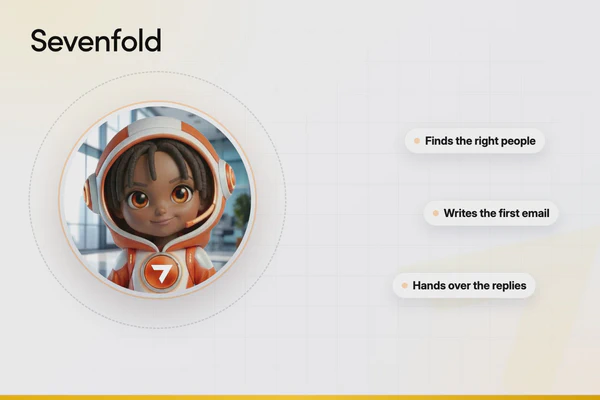
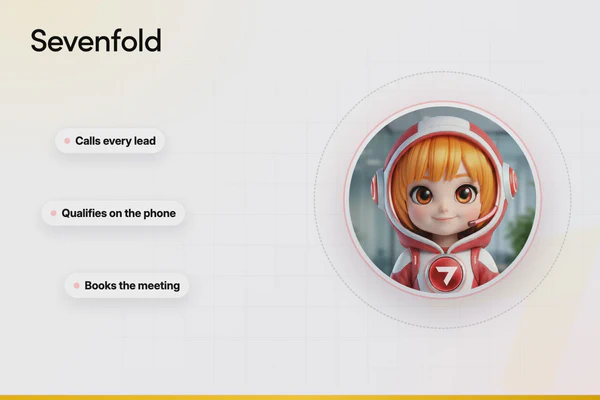
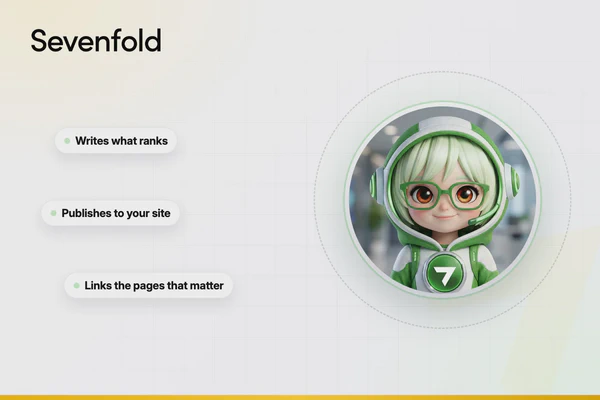
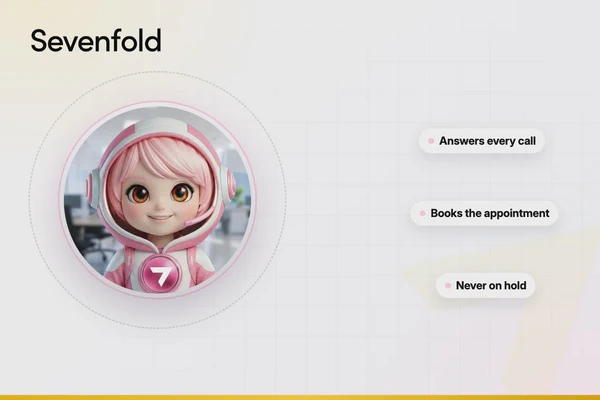
Sevenfold’s AI employees are designed to plug into the tools you already use — and do the actual work those tools are organising.
| Your Organisation Need | The Tool Organises It | The AI Employee Does It |
|---|---|---|
| Client calls and messages | Your CRM logs the missed call | RECE answers the call, qualifies the caller, and books the appointment |
| Social media calendar | Your board has a “To Post” column | SASHA plans, writes, creates, schedules, and posts the content |
| Quote follow-ups | Your CRM shows 12 overdue follow-ups | MAX sends personalised follow-ups at the right intervals automatically |
| Email campaigns | Your calendar says “Send newsletter” | CLEO writes the campaign, on-brand, and delivers it on schedule |
| Customer support tickets | Your helpdesk shows 30 open tickets | SUPI resolves common issues instantly and escalates the rest |
| Calendar and email triage | Your inbox has 87 unread messages | ASSIE triages, prioritises, schedules meetings, and flags what matters |
| Operational workflows | Your PM tool shows overdue tasks | OPRA automates data entry, generates reports, and keeps processes moving |
The organisation app handles the structure. The AI employee handles the execution. Together, they create a system that doesn’t just track work — it actually gets work done.
The Practical Difference
Without AI employees: You open Asana on Monday morning. You see 47 tasks, 12 overdue items, and 3 projects that need updates. You spend 2 hours triaging, updating, and rearranging. By 11am, you haven’t done any actual work yet.
With AI employees: You open Asana on Monday morning. RECE has already captured and scheduled 6 new client bookings from weekend calls. MAX has followed up 4 outstanding quotes and booked 2 meetings. SASHA has published this week’s social content. CLEO has sent the client update email. Your task list is shorter because the work is already done.
How to Choose the Right Organisation App
| If You Need… | Consider… | Why |
|---|---|---|
| Maximum flexibility and customisation | Notion, ClickUp, or Airtable | Build any system you can imagine |
| Structured team project management | Asana or Monday.com | Clear accountability, timelines, and goals |
| Simple visual task management | Trello or Todoist | Minimal setup, intuitive, strong free tiers |
| AI-powered calendar scheduling | Motion, Sunsama, or Morgen | Automate daily planning and time-blocking |
| An existing ecosystem to lean into | Google Workspace or Microsoft 365 | Deep integration with tools you already use |
| Team communication as the hub | Slack | Connect every other tool through one interface |
| Simple team PM without complexity | Basecamp | Opinionated simplicity, flat pricing |
| Speed and keyboard-driven capture | Akiflow | Fastest task capture available |
| Tools that run themselves | Any of the above + Sevenfold AI employees | Organisation plus execution |
The Bottom Line
Organisation apps have never been more powerful. The tools available in 2026 are intelligent, well-designed, and increasingly affordable.
But the fundamental challenge hasn’t changed: tools organise work — they don’t execute it. For most small businesses, the bottleneck isn’t the system. It’s the person responsible for operating it.
The businesses that solve this in 2026 won’t just have better apps. They’ll have AI employees running those apps — answering the calls, writing the emails, scheduling the content, following up the leads, and keeping the entire operation moving forward while the owner focuses on what they actually started the business to do.
The best organisation system isn’t the fanciest app. It’s the one that actually works, consistently, every day — whether you’re available to operate it or not.
Want to see how AI employees work alongside your existing tools? Book a free demo and we’ll show you how ASSIE, OPRA, RECE, CLEO, SASHA, and MAX keep your business organised and executing — on autopilot.